
 Apple Music Profile
 YouTube Channel
 RSS Feed
 Play Play
 Murph
Murph Yer Stack
 Block Party Weekend
 30 Most Recent RSS Feed
UPDATED: Sundry Info to Comments (or Category or Description) v3.0
I sometimes hear it lamented that tracks in iTunes don't have a tag for file path or account ID or other sundry information. While you can't add new tags to a track or new columns to the iTunes browser window you can use existing less-frequently-used tags to store some of that information. I often copy a track's location (file path) to its comment tag so I can do a sort by file location when I sort by Comments. But there's some information about a track or its file that isn't as easily accessible. For instance, there's no track property for a purchased track's account ID. You have to get that by other means. And that's what this script does.
Sundry Info To Comments v3.0 is a Cocoa-AppleScript applet that copies your single choice of file name, file path (location), parent folder name, current playlist, sound volume, file's Spotlight comments, file creation date, purchase name or purchase account ID to the Category, Comments or Description tag of each selected track.
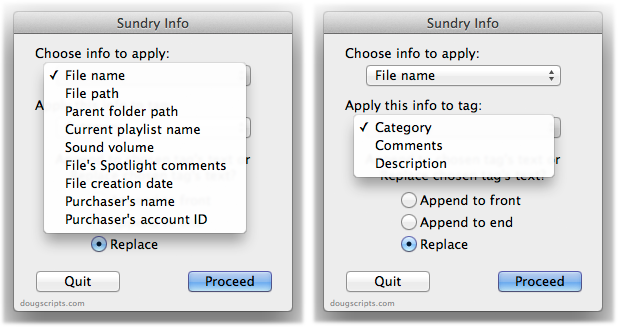
Being able to copy such data into one of these tags make it sortable or available for Smart Playlist criteria.
Name New Playlist From Selection
I use the "New Playlist from Selection" command a lot to create temporary playlists. Actually, I use the Shift-Command-N shortcut more often than clicking the command in the File menu. But I'm irritated at all the dancing I have to do to name the new "untitled playlist". It takes my attention away from what I was intending to do with the tracks. So, I rigged the script below to the keyboard shortcut Shift-Command-N—it works, luckily; sometimes assigning a shortcut that iTunes is already using doesn't override the original command. The script does exactly what "New Playlist from Selection" does except now I can enter the name for the playlist before it's created.
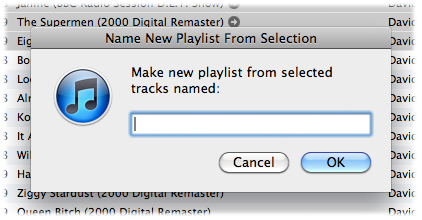
Here's the script:
(more…)
UPDATED: Trackographer v2.0
Trackographer v2.0 is a stay-open applet that will monitor iTunes as tracks are playing and send tag information from each playing track (including radio streams if they provide track info) to a text file. Preferences can be set to include or not include various basic tags and to create a plain text file or a tab-delimited text file which can be imported into a spreadsheet. The text output looks something like this:
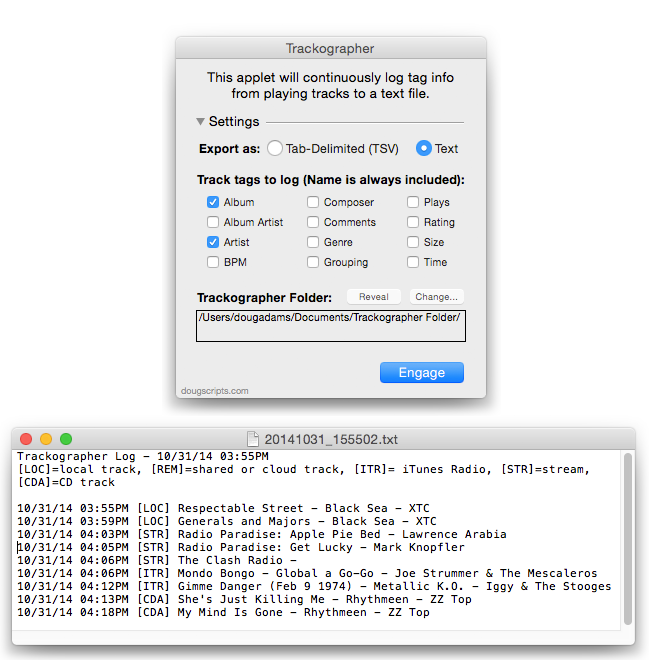
This latest version is a maintenance update that fixes some issues with text not rendering properly in modern OS's.
UPDATED: Track Down Purchases v2.0
If you have been making purchases from the iTunes Store using several names or account names then maybe you'll have noticed that there's no easy way to sort purchased tracks by the name or account name used to make the purchase. Oh, wait a minute. Yes there is.
Track Down Purchases v2.0 will examine each track in your entire iTunes library—or a selection of tracks—for items purchased from the iTunes Store (audio, video, and books) and then sort them by either the purchaser's name (the "Purchased by" entry in a track's Get Info Summary tab) or account ("Account Name") into discrete playlists.
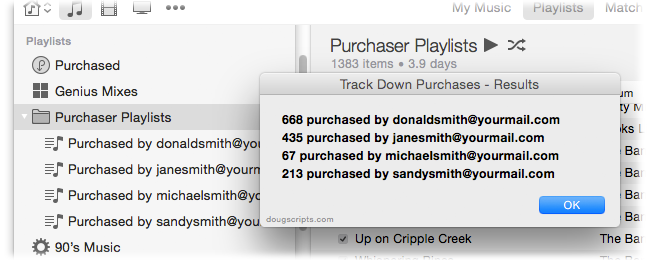
This latest version is written as a Cocoa-AppleScript applet for OS 10.6 or 10.7 only, adds the ability to sort by account name, and provides a progress indicator. (My thanks to Correspondent Andrew Wynn Rouse for inventing the account name search portion.)
UPDATED: Assimilate View Options v3.0
Assimilate View Options v3.0 re-creates a selected playlist so its View Options (visible columns) are the same as the main Music library (taking advantage of the fact that new playlists acquire the Music library's View Options). Works only with regular playlists and Smart playlists.
This latest version works with playlists inside a folder playlist.
Assign it a keyboard shortcut for ease of use.
iTunes 10.5 Released
Apple released iTunes 10.5 today. The long-anticipated 10.5 release includes support for iCloud, iTunes Match, and automatic downloads. OS 10.5 (Leopard) or better required. (Interestingly, the iTunes 10.5.1 beta was released to developers.)
WikiScoop v1.0.2 Released
WikiScoop is an app that lets you search for and browse Wikipedia articles written about the Artists in your iTunes library. This latest version accounts for changes in Wikipedia's page formatting which prevented images and inline links to display. Available at the Mac App Store.

UPDATED: Rate Me! Rate Me! v4.0
Rate Me! Rate Me! watches your playing tracks and when an un-rated track starts playing displays a window with a demand it be rated.
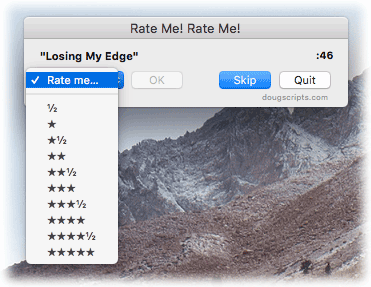
While you could easily rate the current track from the iTunes icon in the Dock, this script interrupts you and compels you to do so.
This latest version is re-written as a Cocoa-AppleScript Applet for OS X 10.6 and 10.7 only.
UPDATED: Make PDF Booklet v2.0
Make PDF Booklet v2.0 is a Cocoa-AppleScript applet that will create a PDF booklet containing tag info from the selected tracks (or every track from the selected playlist) and then add the PDF to iTunes and copy it to the playlist where the selected tracks reside.
The layout and text formatting of the document created is somewhat restricted, but I hope it is eminently readable and printable. However, you are able to choose which tag data to include for each track:
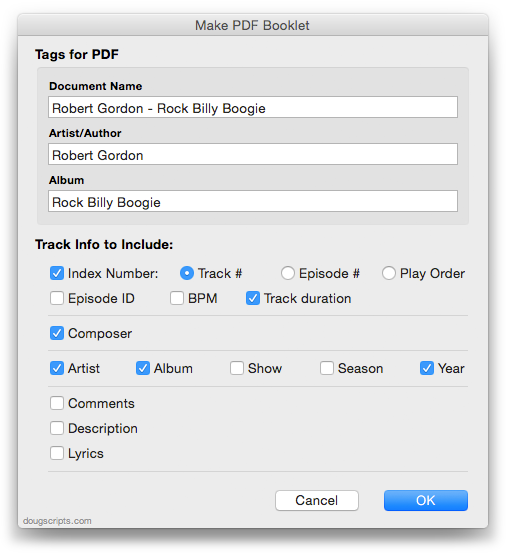
Here are example PDFs using audio tracks and using TV Show tracks made with the script.
This latest version is a Cocoa-AppleScript Applet, so it can only be run on OS X 10.6 and 10.7. A previous version which can run on earlier systems is available from the Make PDF Booklet entry page.
