
 Apple Music Profile
 YouTube Channel
 RSS Feed
 Play Play
 Murph
Murph Yer Stack
 Block Party Weekend
 Elevendy
 Dupin v4.0.0
 Join Together
 M3Unify
 30 Most Recent RSS Feed
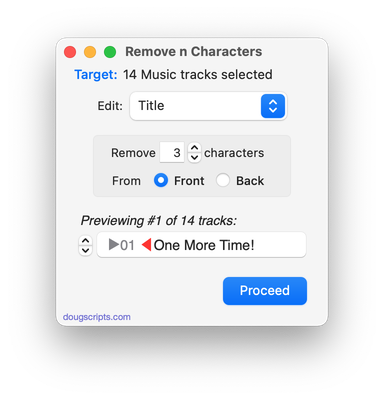
UPDATED: Remove n Characters From Front or Back v6.4
For macOS 10.15 or later. This script lets you delete a specified number of characters from either the beginning or the ending of the Title, Album, Album Artist, Artist/Director, Category, Comments, Composer, Episode ID, Grouping, Show (or their “Sort” siblings), Movement or Work tag of each selected track. For example, delete the initial digits and the space from “01 First Track”, “02 Second Track”, and so on.
This app is free to try full-featured in Demo Mode, with the exception that only up to five tracks can be processes per launch. You can purchase a code for $1.99 which will remove this restriction. Launch the app and click “Register…” in the its File menu to make an in-app purchase.
Latest version:
- Accommodations for macOS 11 Big Sur
- Performance, UI and security enhancements
More information for Remove n Characters From Front or Back v6.4 and download link is here.
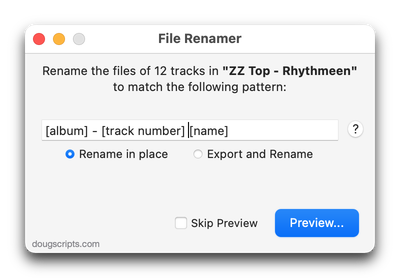
UPDATED: File Renamer v4.7
For macOS 10.15 and later only. This script will rename the files of the selected tracks (or the files of the tracks in the selected playlist) using a substitution pattern that you formulate from the tracks’ tag data. Optionally, export a copy of the files to a chosen location and rename the files in that location.
Works optimally with “Keep Media folder organized” un-checked.
This app is free to try in Demo Mode. In Demo Mode only up to 10 tracks can be processed per launch. You can purchase a code for $1.99 which will remove the 10-track Demo Mode restriction. Launch the app and click “Register…” in the its File menu to make an in-app purchase.
Latest version:
- Accommodations for macOS 11 Big Sur
- Performance, UI and security enhancements
More information for File Renamer v4.7 and download link is here.
UPDATED: Artwork as Album Folder Icon v2.4
For macOS 10.15 and later only. This script can be used two ways:
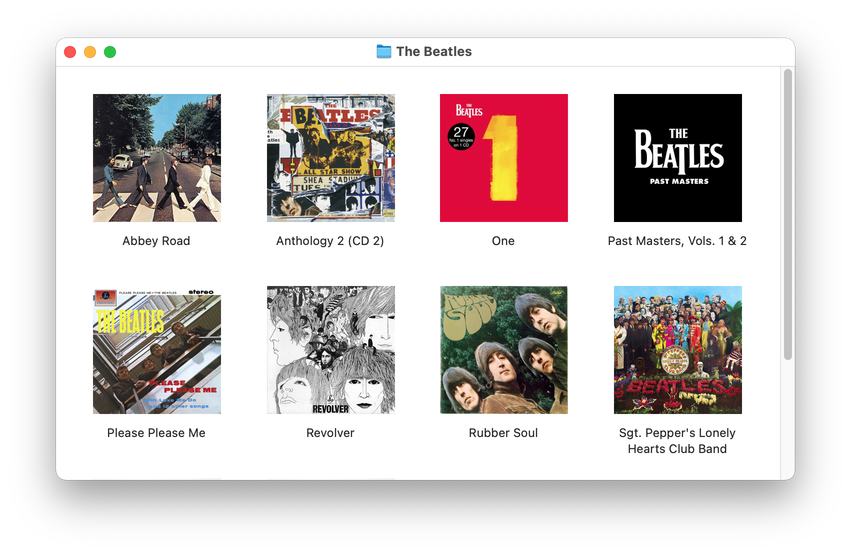
When run as an Applet, it will use the assigned artwork from the selected tracks as the icon for the folder containing each track’s corresponding file in the Finder–presumably, this is the file’s “Album” folder.
When launched as a Droplet–by dragging one or more folders to its icon–it will examine every folder (at all depths) for the first audio file in any folder that contains image metadata and use that image as the icon for that folder.
This app is free to try in Demo Mode. In Demo Mode only up to 5 folders can be processed per launch. You can purchase a code for $1.99 which will remove the Demo Mode restriction. Launch the app and click “Register…” in the its File menu to make an in-app purchase.
The Album folders in the screenshot below were processed with the script.
Latest version:
- Accommodations for macOS 11 Big Sur
- Performance, UI and security enhancements
More information for Artwork as Album Folder Icon v2.4 and download link is here.
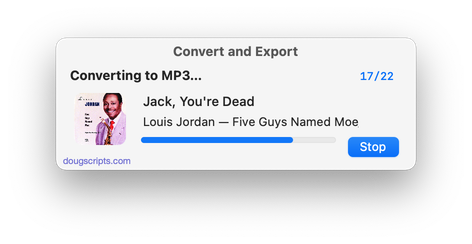
UPDATED: Convert and Export v5.1
For macOS 10.15 and later only. This script converts the files of the selected tracks in the Music app using an encoder chosen on-the-fly (restoring your Preferences-set encoder afterwards). The newly converted files are then moved to a new location of your choice, and their tracks removed from Music. The read me doc contains additional important information.
This app is free to try in Demo Mode. In Demo Mode only up to 5 files can be processed per launch. You can buy a code for $2.99 which will remove the 5-file Demo Mode restriction via an in-app purchase.
Also see M3Unify, an application that provides many more options for converting/exporting files from Music or iTunes, including customizable file re-naming, sub-folder mods, artwork export and more.
Latest version:
- Accommodations for macOS 11 Big Sur
- Performance, UI and security enhancements
More information for Convert and Export v5.1 and download link is here.
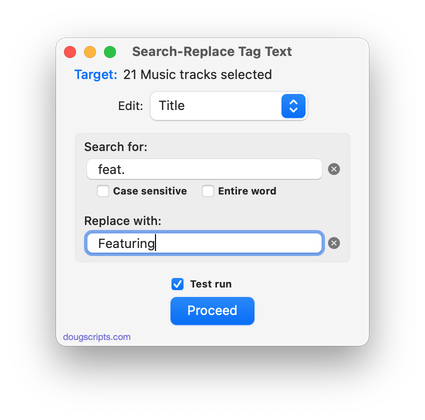
UPDATED: Search-Replace Tag Text v6.4
For macOS 10.15 and later only. Performs a search-and-replace on the text in your choice of track tags in the Music or TV app (Title, Artist/Director, Album Artist, Album, Composer, Comments, Genre, Grouping, Show, Movement or Work) in the selected tracks or all the tracks in the selected Playlist. Features case sensitivity and whole word match options and “Test run” preview.
This app is free to try in Demo Mode. In Demo Mode only up to 5 tracks can be processed per launch. You can purchase a code for $1.99 which will remove the 5-track Demo Mode restriction. Launch the app and click “Register…” in the its File menu to make an in-app purchase.
Latest version:
- Fixes regression with toggling Test Run window visibility
- Fixes issue working with CD tracks
- Accommodations for macOS 11 Big Sur
- Performance and UI enhancements
More information for Search-Replace Tag Text v6.4 and download link is here.
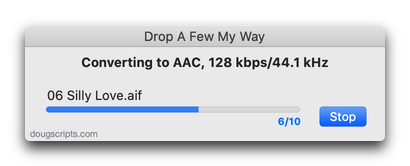
UPDATED: Drop A Few My Way v5.1
For macOS 10.15 and later only. Drag and drop audio files to this droplet to have the Music app convert them with an encoder selected on the fly, restoring the Preferences-set encoder afterwards, and save them to a user-selected location. The converted files/tracks are removed from the Music app, as though it “never saw them”. Includes option to delete the source audio files.
Latest version:
- Fixes issue whereby dropped files may be unrecognized
More information for Drop A Few My Way v5.1 and download link is here.
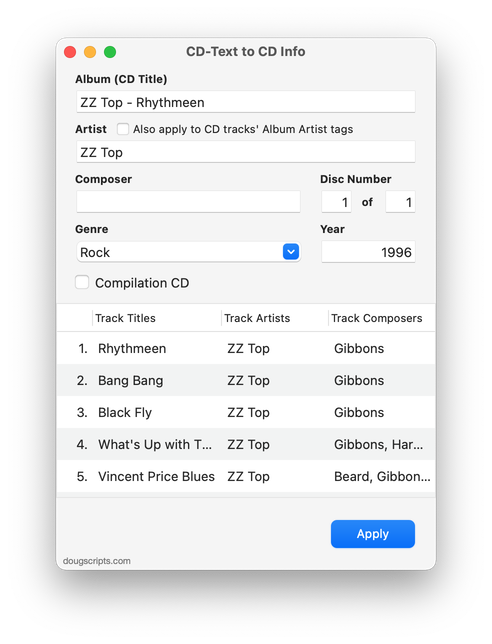
UPDATED: CD Text to CD Info v5.3
For macOS 10.15 and later only. This applet will attempt to extract the CD Text information from the selected audio CD in the Music app and apply it to the CD’s disc and track tags.
Some commercial CDs and commercial CD burning software (including the Music app) can use CD Text as a method of including text data on an audio CD. This data can include Artist (Performer), Album, Composer, Track Title, and Genre info. See the Read Me for more information.
Latest version:
- Accommodations for macOS 11 Big Sur
- Performance and UI enhancements
More information for CD Text to CD Info v5.3 and download link is here.
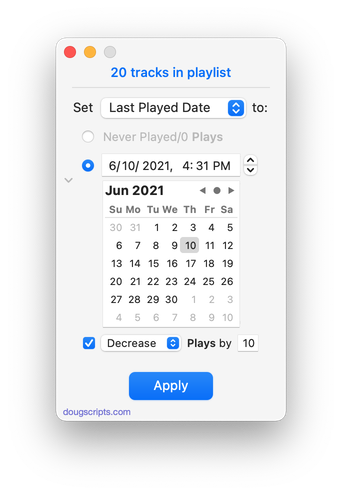
UPDATED: New Last Played Date v5.1
For macOS 10.15 and later. Set Last Played/Last Skipped date of selected tracks to a new date, with option to increase or decrease Plays/Skips, or set to no date and no Plays/Skips.
Also see Add or Subtract Play Count.
iCloud Music Library/Apple Music users should be aware of a potential bug.
Latest version:
- Accommodations for macOS 11 Big Sur
- Performance and UI enhancements
More information for New Last Played Date v5.1 and download link is here.
Big Sur Public Beta Program
It is now time for my annual message about using apps and AppleScripts from this site with the newest macOS beta.
I have tested a few AppleScripts in the Developer Betas (there have been only two released so far) and they all appear to work as expected. However, until an app has been specifically updated to work with Big Sur, I suggest users be cautious about depending on AppleScripts running on the beta in mission-critical situations. I think this will be probably be more important once computers with ARM-powered silicon start shipping.
If you are on the betas and come across any anomalies, please let me know.
NEW: Swap Title and Artist v2.0
This script swaps the text in the Title and Artist tags of all–or just the selected–tracks of the selected playlist.
For a more robust tag-swapping utility see This Tag, That Tag.
Latest version:
- Accommodations for macOS 10.15 Catalina
More information for Swap Title and Artist v2.0 and download link is here.
