 30 Most Recent RSS Feed
 Apple Music Profile
 YouTube Channel
 RSS Feed
 Play Play
 Murph
Murph Yer Stack
 Block Party Weekend
 Elevendy
 Dupin v4.0.0
 Join Together
 M3Unify
UPDATED: Save Album Art to Album Folder v8.0
This script will export the artwork of each of the selected tracks (or the tracks in a selected playlist) as an image file to the folder which contains each selected track’s file–presumably each track’s Album folder–or to a single user-selected folder. If multiple album tracks are selected, the script will make sure only one artwork file per Album is exported.
Also see Save Album Art as folder.jpg.
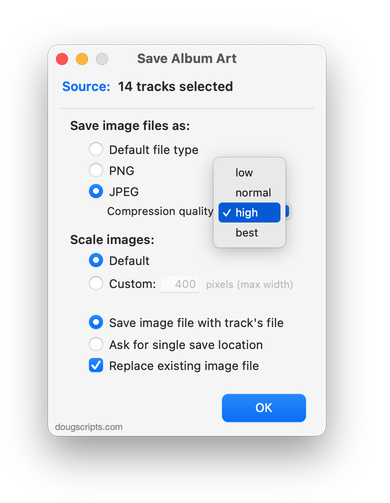
Latest version:
- UI and layout updates for macOS 26 and later
- Adds option to delete any existing image files in the Album folder before new export
- Code maintenance
- Icon and docs update
More information for Save Album Art to Album Folder v8.0 and download link is here.
UPDATED: Save Album Art as folder.jpg v6.0
This script will export the artwork of the selected tracks or tracks in the selected playlist as a JPEG image file named folder.jpg to the folder which contains each selected track’s file–presumably the track’s Album folder. Many third-party music players and systems may look for a “folder.jpg” here (or “cover.jpg” “album.jpg”, “artwork.jpg”, etc) to use as display artwork. If multiple album tracks are selected, the script will make sure only one image file per Album is exported.
Also see Save Album Art to Album Folder.
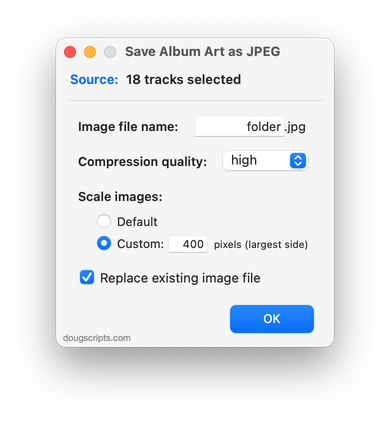
Latest version:
- UI and layout updates for macOS 26 and later
- Code maintenance
- Icon and docs update
More information for Save Album Art as folder.jpg v6.0 and download link is here.
UPDATED: Artwork as Album Folder Icon v3.4
This script will use the assigned artwork from the selected tracks as the icon for the folder containing each track’s corresponding file in the Finder–presumably, this is the file’s “Album” folder.
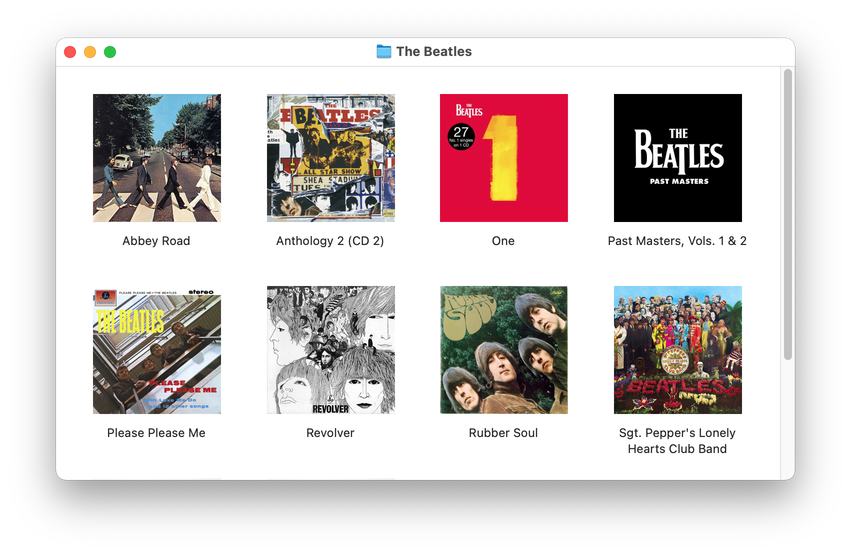
Latest version:
- UI and layout updates for macOS 26 and later
- Minor maintenance
More information for Artwork as Album Folder Icon v3.4 and download link is here.
Getting Ready for macOS 27
I’ve run all of the macOS 27 Developer Betas to date. And with the exception of some issues early on—now resolved—I’ve been pretty pleased with how Golden Gate has been working. I think I can safely say that scripts and apps that ran in macOS 26 Tahoe will work fine in the macOS 27 final release. I might even say run better, but that may just be my experience with an uncluttered clean install of the betas.
In case you didn’t know, macOS 26 Tahoe is the last Mac operating system that will run on Intel Macs; macOS 27 and later will require an Apple silicon processor Mac. If my math is right, these last Intel Macs will be about six or seven years old by now. Rosetta 2, which Apple makes available for Apple silicon Macs that need to run Intel-based apps, will also be phased out. If you are running an old-style, strictly Intel-based script you should check for the latest version. Modern versions of scripts have been Apple silicon compatible, aka “Universal”, for several years. Most have a minimum system version requirement of macOS 12. I’m likely to increase this to 14 or 15 in the coming year.
You may want to download the latest Doug’s Check For All Updates which is version 2.0. Previous versions will cease to work as of January 1, 2027.
As always, thanks for being a faithful supporter!
UPDATED: Remove n Characters From Front or Back v8.0
This script will delete a specified number of characters from either the beginning or the ending of the Title, Album, Album Artist, Artist, Category, Comments, Composer, Grouping,Movement or Work tag of each selected track. For example, delete the initial digits and the space from “01 First Track”, “02 Second Track”, and so on.
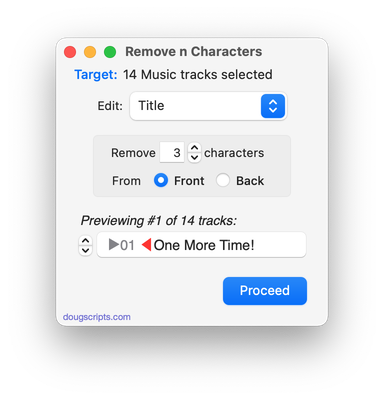
Latest version:
- UI and layout updates
- Removes support for TV app
- Preview displays to-be-removed text in strikethrough
- Icon and docs updat
More information for Remove n Characters From Front or Back v8.0 and download link is here.
UPDATED: Search-Replace Tag Text v8.0
Performs a search-and-replace on the text in your choice of track tags in the Music or TV app (Title, Artist, Album Artist, Album, Composer, Comments, Genre, Grouping, Movement or Work) in the selected tracks or all the tracks in the selected Playlist. Features case sensitivity and whole word match options and “Test run” preview.
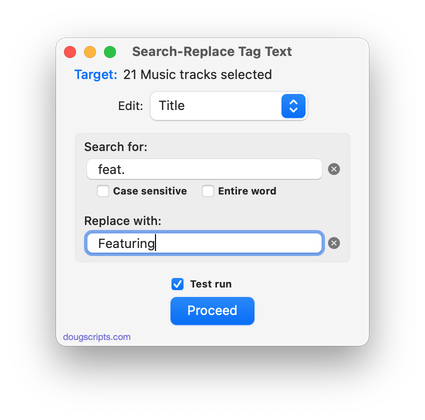
Latest version:
- UI updates for macOS 26 and later
- Removes support for TV app
- Icon and docs update
More information for Search-Replace Tag Text v8.0 and download link is here.
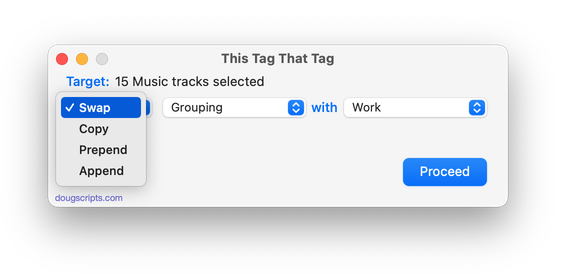
UPDATED: This Tag That Tag v7.0
This applet will assist with swapping, copying, and appending data between two user-chosen tags in selected tracks or tracks in the selected playlist:
Swap – swap data between tags, ex: ARTIST<->COMPOSER
Copy – copy data from one to another tag, ex: ARTIST->COMPOSER ARTIST
Append – append data from one tag to the end of another, ex: ARTIST->COMPOSER – ARTIST
Prepend – append data from one tag to the beginning of another, ex: ARTIST->ARTIST – COMPOSER
The latter three actions also provide an option to delete the info from the first tag after the copy. Read Me explains all.
Latest version:
- UI updates for macOS 26 Tahoe and later
- Drops support for TV app
- Icon and docs updated
More information for This Tag That Tag v7.0 and download link is here.
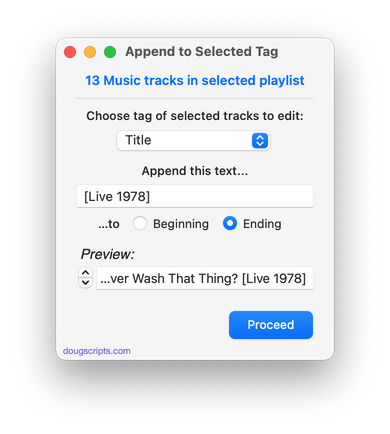
UPDATED: Append to Selected Tag v6.5
Append the same user-entered text to the beginning or ending of the existing text in the chosen tag–Title, Artist, Album Artist, Album, Composer (or their Sort siblings), Comments, Genre, Grouping, Work or Movement–in each selected track.
Latest version:
- UI and layout updates
- Removes support for TV app
More information for Append to Selected Tag v6.5 and download link is here.
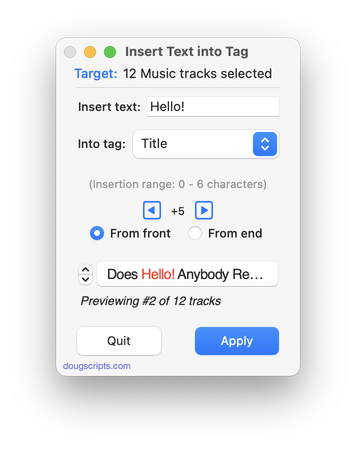
UPDATED: Insert Text into Tag v1.5
This script will insert the same user-entered text at a specific position in the designated tag of each selected track.
Latest version:
- UI and layout updates
- Adds confirmation panel
- Additional keyboard shortcuts
- Removes support for TV app
- Icon and docs updates
More information for Insert Text into Tag v1.5 and download link is here.
UPDATED: Remove Leading-Trailing Spaces v3.5
This script will remove any number of extra space characters at the beginning and ending of chosen tags (Title, Artist, Album Artist, Album, Composer, Comments, Genre, Grouping, Movement and Work) in the selected tracks.
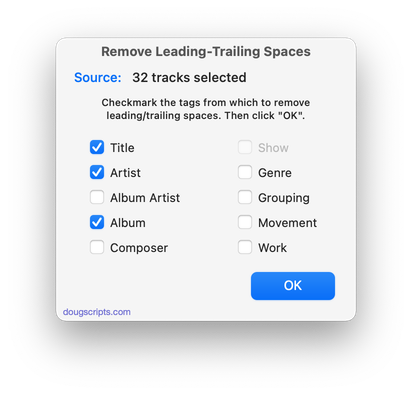
Latest version:
- UI and layout updates
- Fixed progress miscount
- Adds Comments tag
- Removes support for TV app
More information for Remove Leading-Trailing Spaces v3.5 and download link is here.
