 30 Most Recent RSS Feed
 Apple Music Profile
 YouTube Channel
 RSS Feed
 Play Play
 Murph
Murph Yer Stack
 Block Party Weekend
 Elevendy
 Dupin v4.0.0
 Join Together
 M3Unify
Universal
NEW: List Playlists v1.0
Once upon the iTunes time, I had a script that showed the playlists in which a selected track was contained. When the Music app time dawned, I never bothered updating it. It used the regularly-updated XML library file for track and playlist information but the Music app did away with that.
Finally got around to making it work with the Music app. Ongelooflijk!
List Playlists is a stay-open applet that will detect whenever a track is selected (or playing) in the Music app and display a list of the playlists that contain it (saving you the clicks to show Music’s transient “Show In Playlist” modal menu). If more than one track is selected, a list of the common playlists that contain them—if any—will be displayed.
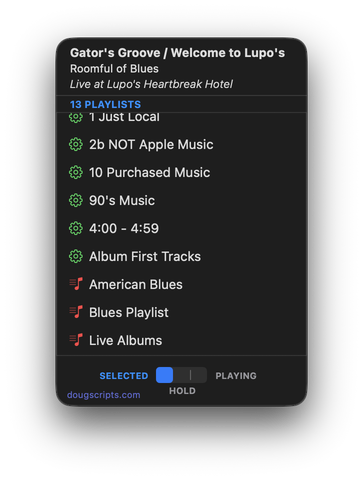
Latest version:
- Initial release
More information for List Playlists v1.0 and download link is here.
NEW: Make New Playlist v1.0
A neat option for the Music app would be the ability to choose a default playlist view. Not exactly a new item on the Wish List. I’ve evolved a toleration of the default “as Playlist” view since I see it on the iPad so much. But I generally switch to the “as Songs” view while I’m building the playlist or working on the tracks in it and then switch back to “as Playlist” afterwards. Kinda like when you’re done working on your car, you close the hood. CHONK.
I’ve mentioned many times how I’ve assigned keyboard shortcuts to the “as Playlist” and “as Songs” menu items in the Music app’s View menu. That helps.
Lately I’ve been using a script that uses System Events accessibility scripting to hit “as Songs” and display the Column Browser after it creates a new playlist containing a batch of selected tracks. It can change the new playlist to any view. I’ve just set it to “as Songs” at my house.
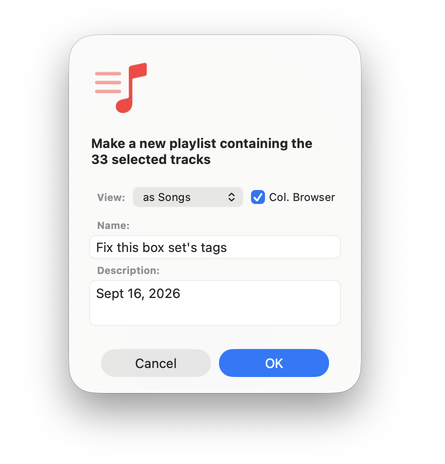
I’m not a big fan of System Events scripting because it can be Kinda Klunky, requires serious permissions, and can need unpredictable future fixes if the app it targets updates its UI. But sometimes it’s the only way to bring truck home.
If you’re going to download and use Make New Playlist, you should know that on first launch it will ask you to give it accessibility permission in System Settings > Privacy & Security > Device Control and Data Access (formerly “Accessibility”). This is so the script can use System Events scripting to access the Music app’s View menu in order to pretend-click on its menu options. And to be able to pretend-click Command-B to show the Column Browser. I’ve put the step-by-step directions in the Read Me PDF. It’s pleading with you to read it.
I’ve given it the Shift-Command-N keyboard shortcut and it appears to over-ride same for the Music app’s “New Playlist with Selection” command. So you can imagine.
Latest version:
- Initial release
More information for Make New Playlist v1.0 and download link is here.
UPDATED: Tracks Without Embedded Artwork v4.1
Yer Boy left some old code in a script and it probably made you sad. So I fixed it in this update to last week’s update.
This applet will examine the files of the tracks in the entire Music library or a selected Smart playlist for artwork metadata. Eligible audio tracks whose files are capable of embedding image data but do not contain artwork metadata will be copied to a new discrete Results playlist for further examination.
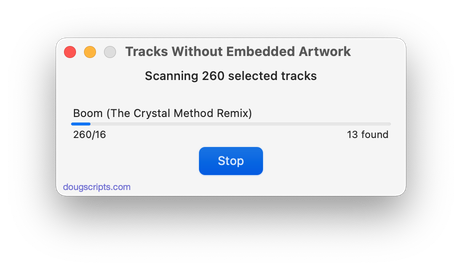
Latest version:
- Fixes error preventing registration. Apologies!
- v4.0 (oct 7, 2026):
- UI and layout updates for macOS 26 and later
- Now allows scan of entire library or selected Smart playlist
- Demo Mode completes scan but only reveals 10 tracks
- Fixes issue with errant media library track entries
More information for Tracks Without Embedded Artwork v4.1 and download link is here.
UPDATED: Coverscope v2.9
This Stay-Open applet will allow you to scroll and select tracks in the Music app to display both the selected track’s assigned track artwork and its local file’s metadata artwork (if any exists). The Track entry artwork well supports copy, paste and drags. Pasting or dragging image data immediately applies the image to the selected track’s artwork and attempts to embed it. Additional tools can Embed or Apply artwork between track and file.
Free to use in Demo Mode: While in Demo Mode, these functions will be enabled to use in any combination up to five times per launch:
- Embed Track Artwork (to the file)
- Apply Metadata Artwork (to the track entry)
- Paste or Drag an image file to Apply and Embed
- Copy Track Artwork to Clipboard
- Save Track Artwork to File
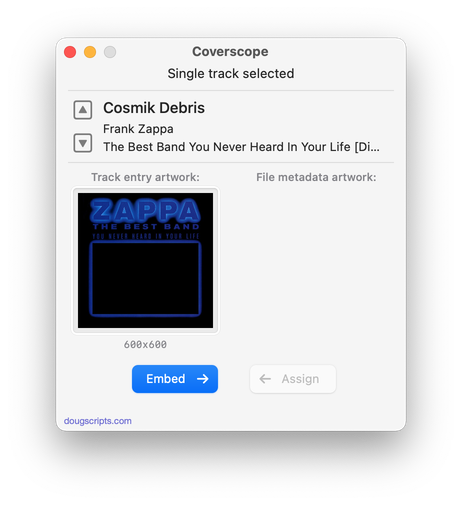
Latest version:
- UI and layout updates for macOS 26 and later
- Maintenance
More information for Coverscope v2.9 and download link is here.
UPDATED: Show Me The Metadata v3.5
This script will display the audio metadata and the Spotlight metadata for the file of a selected track in the Music app or user-selected audio file, or a drag-and-dropped Music track or audio file. Includes additional features to display embedded artwork and activate the Finder’s Information Window for the file.
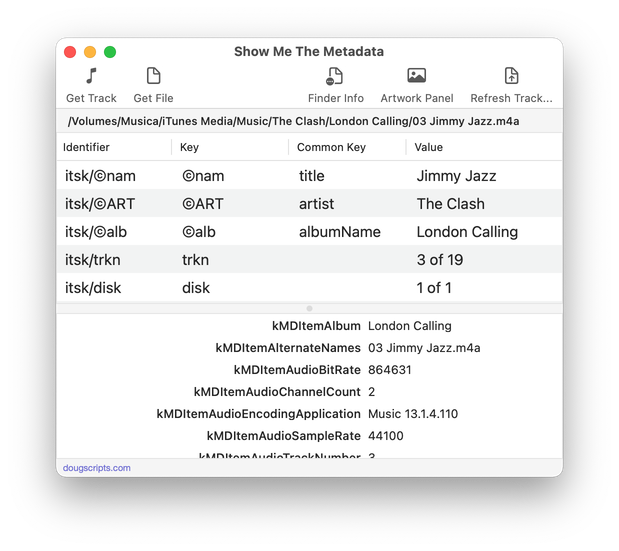
Latest version:
- UI and layout updates for macOS 26 and later
- Adds Reveal in Finder
- Maintenance
- Icon and docs update
More information for Show Me The Metadata v3.5 and download link is here.
UPDATED: Tracks Without Embedded Artwork v4.0
This applet will examine the files of the tracks in the entire Music library or a selected Smart playlist for artwork metadata. Eligible audio tracks whose files are capable of embedding image data but do not contain artwork metadata will be copied to a new discrete Results playlist for further examination.
Latest version:
- UI and layout updates for macOS 26 and later
- Now allows scan of entire library or selected Smart playlist
- Demo Mode completes scan but only reveals 10 tracks
- Fixes issue with errant media library track entries
More information for Tracks Without Embedded Artwork v4.0 and download link is here.
UPDATED: Move Playlists to Folder v5.0
This applet will allow you to quickly move one or more selected playlists to an existing or new Playlist Folder instead of having to drag each of them one at a time.
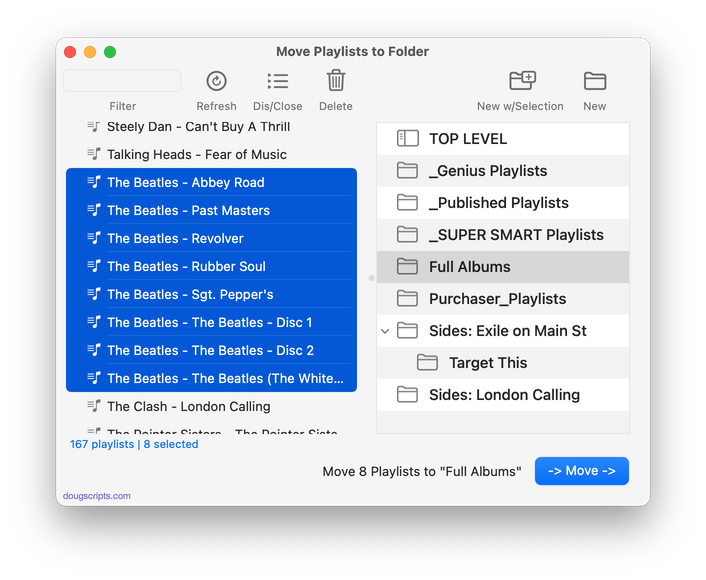
Latest version:
- UI and layout updates for macOS 26 and later
- Speedier playlist indexing
- Removes ability to extricate playlists from folders
- Additional maintenance
More information for Move Playlists to Folder v5.0 and download link is here.
UPDATED: Albums Amiss v2.0
This applet will generate a text file report listing the albums in the Music library whose track and disc numbers and counts are either missing or do not validate mathematically as a complete album. Additional options will check an album’s tracks for same audio file kind, same compilation settings and single Album Artist and/or Sort Album Artist. (To be clear: the script does not check some kind of online database; it uses the extant local track entry information. Thus, tag accuracy is essential.)
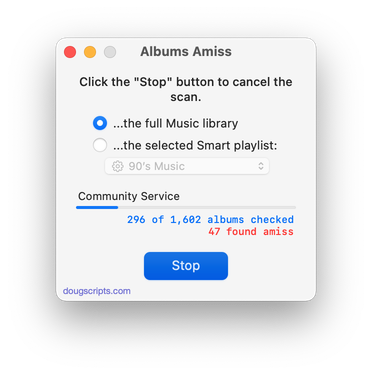
Latest version:
- Adds additional scanning options to check for same file kind, extant Album Artist and Sort Album tags
- Results playlist now optional
- Other improvements to logic
- UI and layout updates for macOS 26 and later
More information for Albums Amiss v2.0 and download link is here.
UPDATED: Track Down Purchases v6.0
This applet can examine the Music library and sort tracks purchased from the iTunes Store into discrete playlists by either the purchaser’s name or Apple ID (eg: “Purchased by Jane Smith” or “Purchased by janesmith@email.com”) which in turn will be placed in a “Purchaser Playlists” playlist folder.
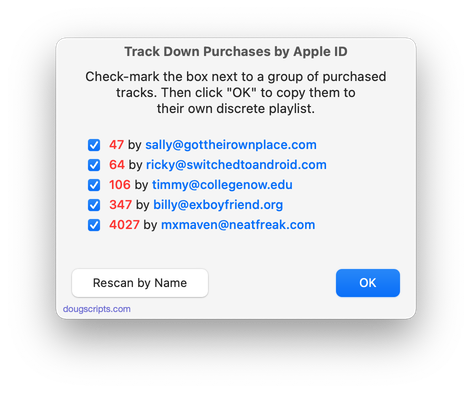
Latest version:
- UI and layout updates for macOS 26 and later
- Unified processes in a single window
- Icon and docs update
More information for Track Down Purchases v6.0 and download link is here.
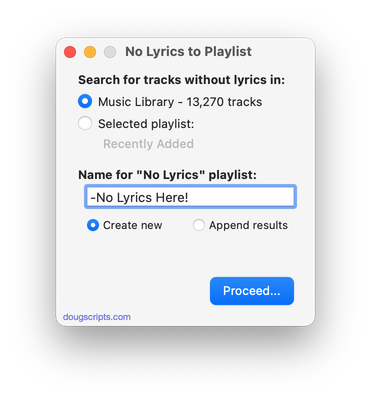
UPDATED: No Lyrics to Playlist v3.3
This applet will scan the Music library or a selected playlist for tracks whose “Custom Lyrics” tags are blank and copy them to a new discrete playlist. Can also toggle to search only for tracks with lyrics.
(Please Note: The script can only discover tracks with “Custom Lyrics” provided by the user. There is no accounting for lyrics made available via Apple Music or Cloud/Sync Library. That data is inaccessible.)
Latest version:
- UI and layout updates for macOS 26 and later
- Improved selection logic
- Adds Command-. to cancel
- Maintenance
- Icon and docs update
More information for No Lyrics to Playlist v3.3 and download link is here.
