
 Apple Music Profile
 YouTube Channel
 RSS Feed
 Play Play
 Murph
Murph Yer Stack
 Block Party Weekend
 30 Most Recent RSS Feed
NEW: Add PDF to Music or Books v1.0
You may be aware, or vaguely remember, that iTunes was able to manage PDF files. Sounds weird, I know. But early on, the iTunes Store provided extra album content as PDFs, so-called "digital booklets". Digital booklets went away but iTunes, and now the Music app, still support PDFs.
I got into a right regular habit of saving PDFs to iTunes. It was easy to categorize the plethora of them using the track tags that iTunes provided as a matter of course for all track entries. I've got instruction manuals, interesting news articles, notes, Wikipedia articles, VO scripts, email conversations, all kinds of stuff. When The Great Breakup happened, my PDFs were automatically moved to the Books app. That's fine, but Books doesn't allow tag editing, isn't AppleScriptable, and so on. I automatically assumed that PDF support was gone from Music, but it didn't occur to me until last week to even check.
I had created and maintained a set of scripts for managing PDFs in iTunes called PDF Adder. But the only script I regularly used from this collection was a PDF Service workflow that was accessible from the Print Dialog in any app. And so I've updated it for use with the Music app and the Books app.
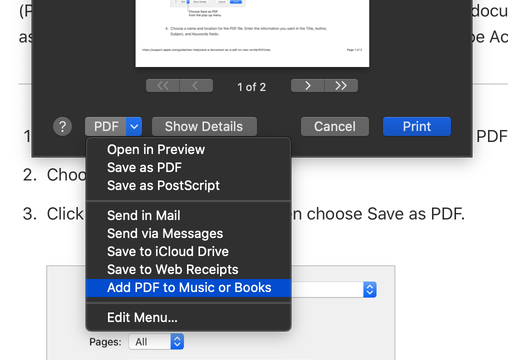
Add PDF to Music or Books is an applet that must be installed in the [home]/Library/PDF Services/ folder. Once installed, it will appear as an option in the Print Dialog's PDF popup:
When selected, this panel will open and tag information can be added:
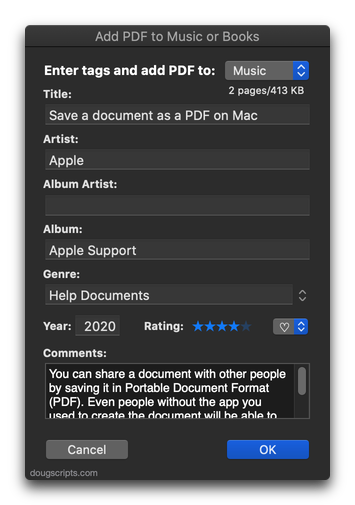
In this example, I've selected the Music app to receive the PDF. If Books had been selected, only the Title, Artist (Author) and Genre (Category) fields would be available since the Books app does not support the other tags.
More information and download for Add PDF to Music or Books is available on this page.
NEW: No Lyrics to Playlist v2.0
For macOS 10.15 and later only. This script will scan the Music library or a selected playlist for tracks whose Lyrics tags are blank and copy them to a new discrete playlist. Can also toggle to search only for tracks with lyrics.
(Please Note: The script can only discover tracks with "Custom Lyrics" provided by the user. There is no accounting for lyrics made available via Apple Music or iCloud Music Library. That data is inaccessible.)
Free to use in Demo Mode: While in Demo Mode, found tracks will be reported but only 20 tracks will be discovered and copied to the "No Lyrics" playlist per launch.
To purchase a registration code and remove these restrictions, download and launch the app. Click "Register..." in its File menu and follow the prompts to purchase a code for $1.99. When your payment is processed, you will be emailed a registration code that will unlock the Demo Mode restrictions.
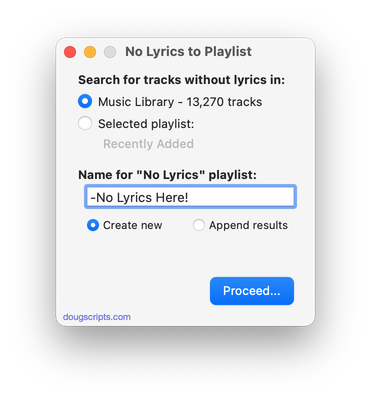
Latest version:
- Accommodations for macOS 10.15 Catalina
- Minor UI update
- Performance and security enhancements
More information for No Lyrics to Playlist v2.0 and download link is here.
UPDATED: Search IMDB v2.0
This script uses information from the single selected track as the basis for a search of the IMDB (Internet Movie Database) website. It's probably most useful with the TV app, but it works with the Music app, too.
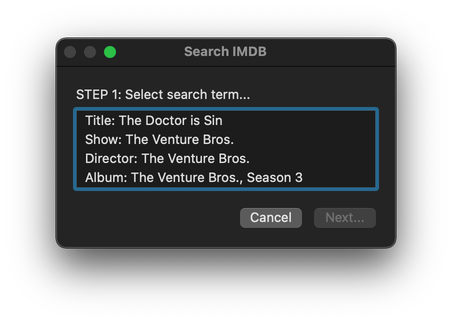
Latest version:
- Accommodations for macOS 10.15 Catalina and the Music and TV apps
- Performance and security enhancements
More information for Search IMDB v2.0 and download link is here.
UPDATED: Append to Selected Tag v5.2
For macOS 10.15 Catalina and later. Append the same user-entered text to the beginning or ending of the existing text in the chosen tag--Title, Artist, Album Artist, Album, Composer, Comments, Genre, Grouping, Show (or their Sort siblings), Work or Movement--in each selected track.
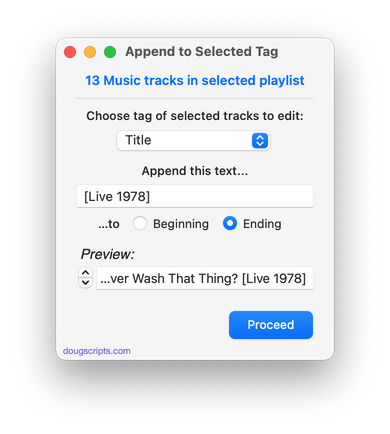
Latest version:
- UI update/clean-up, maintenance, minor fixes
More information for Append to Selected Tag v5.2 and download link is here.
UPDATED: This Tag That Tag v5.5
For macOS 10.15 Catalina and later only. This applet will assist with swapping, copying, and appending data between two user-chosen tags in selected tracks or tracks in the selected playlist:
Swap - swap data between tags, ex: ARTIST<->COMPOSER
Copy - copy data from one to another tag, ex: ARTIST->COMPOSER ARTIST
Append - append data from one tag to the end of another, ex: ARTIST->COMPOSER - ARTIST
Prepend - append data from one tag to the beginning of another, ex: ARTIST->ARTIST - COMPOSER
The latter three actions also provide an option to delete the info from the first tag after the copy. Read Me explains all.
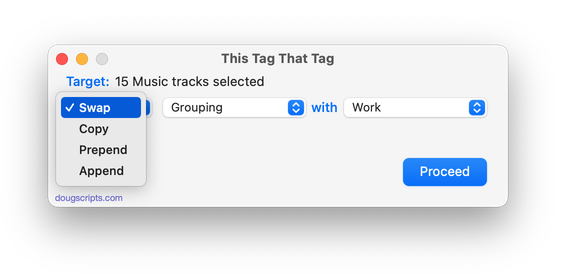
Latest version:
- Re-configured UI for better Music or TV use
- Minor performance enhancements
- Drops 10-day trial; un-registered Demo Mode version will work on up to 12 tracks per launch
More information for This Tag That Tag v5.5 and download link is here.
UPDATED: Tracks Without Embedded Artwork v2.1
For macOS 10.15 Catalina and later only. MP3, AAC and ALAC audio files have the capability to store artwork image data internally as metadata, thus allowing artwork to "travel" with a file. This applet will examine the files of the selected tracks (or tracks in the selected playlist) for artwork metadata. Eligible audio tracks whose files are capable of embedding image data but do not contain artwork metadata will be copied to a new discrete playlist.
Note: Music-assigned artwork may not necessarily be embedded as metadata; pre-ID3v2 MP3s do not store image data; this applet ignores how the Finder may or may not display an audio file's icon image.
This app is free to try full-featured in Demo Mode. In Demo Mode it will only discover 20 tracks without embedded artwork per launch. If you like it you can purchase a code for $1.99 which will unlock the 20 count restriction. Launch the app and click "Register…" in its File menu to make an in-app purchase through PayPal.
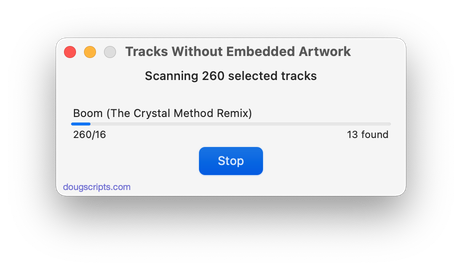
Latest version:
- Fixes regressions with UI
- Minor performance enhancements
- Removes 10-day trial; un-registered version only discovers 20 tracks without embedded artwork per launch
More information for Tracks Without Embedded Artwork v2.1 and download link is here.
UPDATED: Proper English Title Capitalization v4.2
For macOS 10.15 Catalina and later only. Capitalizes the first letter of each word in your choice of the Name, Artist, Album Artist, Album, Comments, Composer, Grouping, Movement, Work, or Show tags of the selected tracks, but based on conventional rules of title capitalization in the English language. Thus, "what it feels like for a girl (above and beyond 12'' club mix)" becomes "What It Feels Like for a Girl (Above and Beyond 12'' Club Mix)". Two user-editable Exception Lists can handle words that should not be title-capped or modified. Test Run feature enables you to see what would be changed displayed in a separate Test Run Log window.
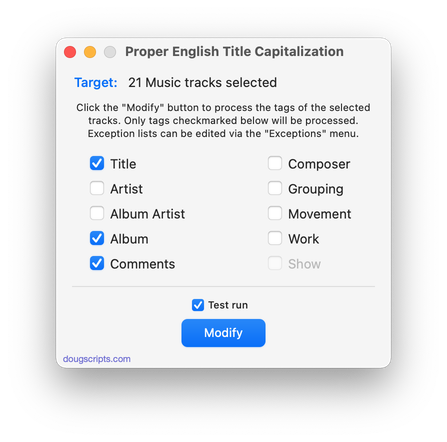
Latest version:
- Maintenance update
- UI adjustments, minor performance enhancements
More information for Proper English Title Capitalization v4.2 and download link is here.
UPDATED: Copy Tag Info Tracks to Tracks v6.2
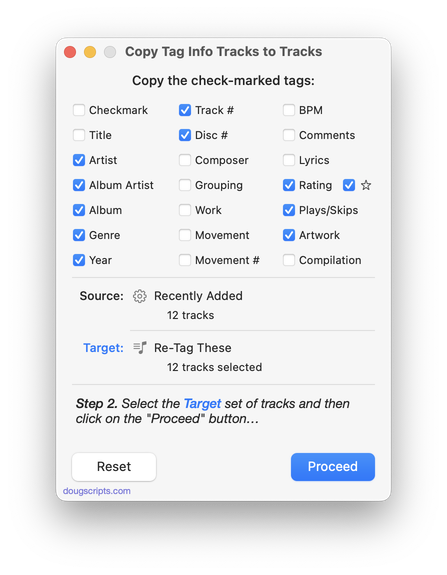
For macOS 10.15 Catalina and later. This applet will copy specific tag data from one set of selected tracks to a second set of selected tracks. You can copy any combination of Checkmark, Song Name, Artist, Album Artist, Album, Genre, Year, Disc and Track, Composer, Grouping, Work, Movement, BPM, Comments, Lyrics, Rating, Loved/Disliked, Plays/Skips, Artwork and Compilation.
Use with thoughtfulness. Both sets of selected tracks should be sorted by Play Order/Playlist Order (or at the very least using the same sorting) so the tag info is copied in the correct order from and to the intended tracks.
Only tracks in the local Media library are accessible. Apple Music's "For You", "Browse" and "Radio" tracks are inaccessible.
Latest version:
- Maintenance update
- UI improvements
More information for Copy Tag Info Tracks to Tracks v6.2 and download link is here.
UPDATED: Doug's Check For All Updates v1.3
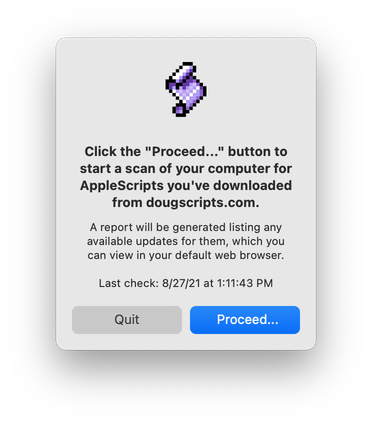
For macOS 10.10 and later. This script will survey your computer for AppleScripts downloaded from dougscripts.com and create a report, locally stored and viewable in your web browser, listing the scripts for which updates are available and links to download them
Latest version:
- Maintenance update
More information for Doug's Check For All Updates v1.3 and download link is here.
NEW: Drop A Few My Way v5.0
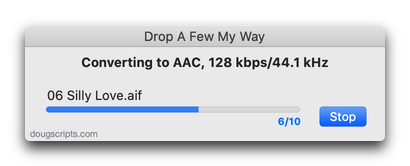
For macOS 10.15 and later only. Drag and drop audio files to this droplet to have the Music app convert them with an encoder selected on the fly, restoring the Preferences-set encoder afterwards, and save them to a user-selected location. The converted files/tracks are removed from the Music app, as though it "never saw them". Includes option to delete the source audio files.
Latest version:
- Accommodations for macOS 10.15 Catalina and the Music app
- Performance and security enhancements
More information for Drop A Few My Way v5.0 and download link is here.
