
 Apple Music Profile
 YouTube Channel
 RSS Feed
 Play Play
 Murph
Murph Yer Stack
 Block Party Weekend
 30 Most Recent RSS Feed
UPDATED: Save Album Art as folder.jpg v3.0
Save Album Art as folder.jpg v3.0 will export the artwork of the selected tracks or tracks in the selected playlist as a JPEG image file named folder.jpg to the folder which contains each selected track's file--presumably the track's Album folder. Many third-party music players and systems (Sonos, for example) may look for a "folder.jpg" here to use as display artwork.
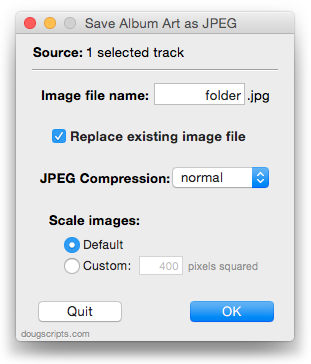
Version 5.0 adds support for OS X 10.10 Yosemite and iTunes 12 (dropping support for pre-10.8), adds "Check for Update" menu command, and has some minor maintenance tweaks.
More information and download is here.
UPDATED: Append to Selected Tag v4.0
Append to Selected Tag v4.0 can append the same user-entered text to the beginning or ending of the existing text in the chosen tag (Song Name, Artist, Album Artist, Album, Composer, Comments, Genre, Grouping or Show Name, and their Sort siblings) in each selected track.
For tags other than "Song Name" and "Show Name", this script may be just slightly less involved than performing a multi-edit on the selected tracks. On the other hand, unlike using the modal "Get Info" panel in iTunes, tracks remain accessible and selectable.
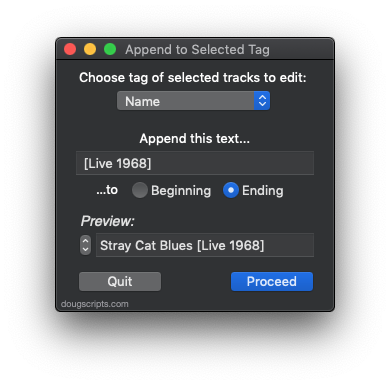
This latest version adds support for OS X 10.10 Yosemite and iTunes 12 (and drops support for pre-Mountain Lion), provides a "Check for Update" menu command, and has other minor tweaks.
More information and download is here.
UPDATED: M3Unify v1.1.0
M3Unify v1.1.0 is an app that will assist with adding files from iTunes to portable media, such as a USB thumb drive or SD card (watch the YouTube video I put together) or copying files to another location on yer Mac. Just drag and drop tracks from iTunes, arrange the tracks and the use M3Unify's Export Settings to configure how you want the files copied (or converted) to a new location.
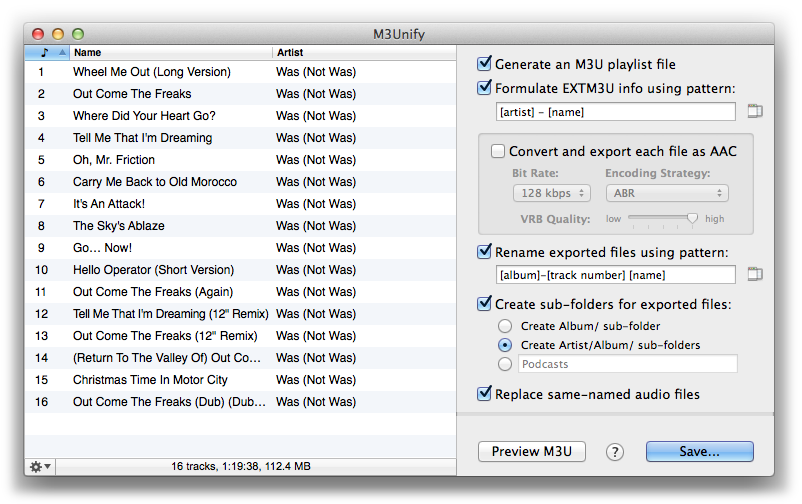
Flexible options let you export files the way you and your audio player want.
The latest version of M3Unify now applies basic meta-data tags to converted AAC files (Name, Artist, Album, Genre, Track Number/Count and Disc Number/Count); adds a keyboard shortcut to the "Clear" menu command; fixes an issue converting some types of single-channel MP3s; adds additional support for OS X 10.10 Yosemite and iTunes 12.
For OS X 10.8 and later. M3Unify is $5.00 but you can try it out in Demo Mode which limits the number of tracks that can be used at a time to fifteen. This version is a free update for registered users.
Thanks for all the feedback on v1.0.0. I'm thrilled that some users really like this app. ;)
OS X 10.9.5 and Gatekeeper Security
You may be aware of the Gatekeeper security feature introduced with OS X 10.7.5. It prevents potential malware from being run inadvertently on your machine by checking downloaded apps for a developer signature. Most modern applets from this site are "codesigned" with my Developer ID which is registered with Apple. You are therefore assured that my apps are not malware. (It would be pretty dumb of me to release malware in any case.)
Apple has updated the way Gatekeeper signatures are recognized on OS X 10.9.5 and Yosemite. Gatekeeper on those systems (and later) will now look for a new version 2 signature, which can only be implemented by a developer on OS X 10.9 and later. The v2 signature is fully backward compatible on earlier systems. But v1 signatures have been obsoleted and will not be recognized on OS X 10.9.5 or Yosemite.
Codesigned applets that were last updated on Mountain Lion or earlier will have a v1 signature.
I've spent the Summer working on updating v1-codesigned scripts and apps so they will be compatible with Yosemite when it arrives in the Fall. However, I haven't yet updated all codesigned applets with a v2 signature.
If you download an applet signed with a v1 signature on OS X 10.9.5 or Yosemite you may see an alert that advises you that the app is from an unknown developer. If so, you can override Gatekeeper security by Right-clicking/Control-clicking the applet's icon in the Finder and selecting "Open" from the contextual menu.
I hope to have all affected apps updated with v2 signatures over the next few weeks in time for the official release of OS X 10.10.
UPDATE: ArsTechnica has more.
Apple Releases iTunes 11.4
Apple has released iTunes 11.4 with support for iOS 8, which is due for release on September 17.
Dupin v2.8.0 Available
I waited a little longer between updates this time around, so Dupin has gained a feature point.
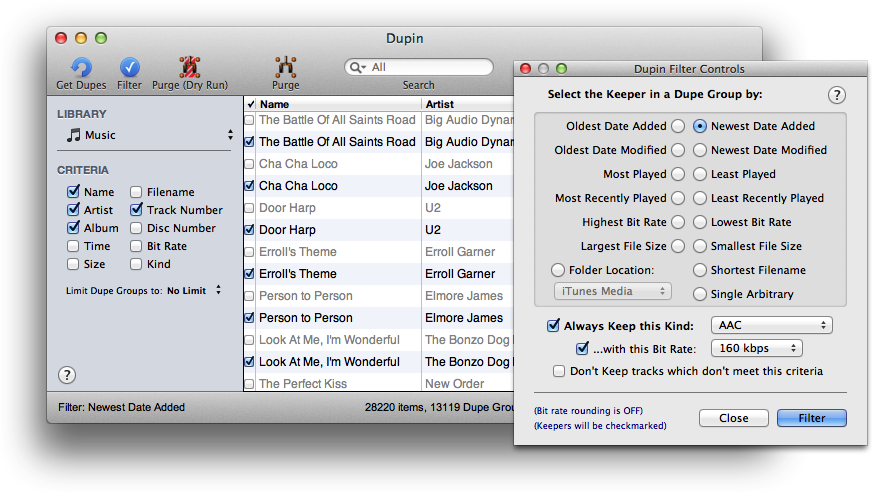
Dupin v2.8 has significant memory management and CPU fixes making it faster than ever. More info and download is here.
More iTunes Power Search at Your Fingertips
[UPDATE: In iTunes 12.2 and later, selecting "Music" in this script will go to the "New" section of Apple Music. The other kind selections work as expected.]
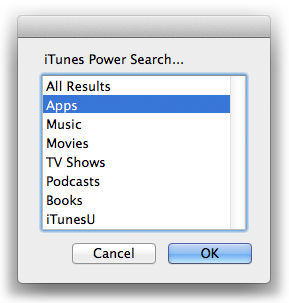
Kirk has noticed that Apple has spruced up the iTunes Power Search page. Inspired, I improved this simple AppleScript to launch a Power Search by kind (click the AppleScript Editor icon below the code to display the code in AppleScript Editor on your machine):
set chooseOptions to {"All Results", "Apps", "Music", "Movies", "TV Shows", ¬
"Podcasts", "Books", "iTunesU"}
set optList to {"mt=3", "mt=8", "mt=1", "mt=6", "mt=4", "mt=2", ¬
"media=books#powerSearch&restrict=false&submit=media", ¬
"institutionTerm=&media=iTunesU"}
set opt to (choose from list chooseOptions with prompt "iTunes Power Search...")
if opt is false then return
repeat with i from 1 to length of chooseOptions
if opt as text is (item i of chooseOptions) then
set opt to (item i of optList)
end if
end repeat
set link to ("itms://phobos.apple.com/WebObjects/MZSearch.woa/wa/advancedSearch?" & opt) as text
tell application "iTunes" to open location link

Save that as something like "Power Search" in your ~/Library/iTunes/Scripts/ folder and assign it a shortcut. When you launch it, you can select the area you want to search:
Daypart v2.4.0 Available
Daypart v2.4.0 can schedule sets of iTunes playlists to play throughout the day and week.
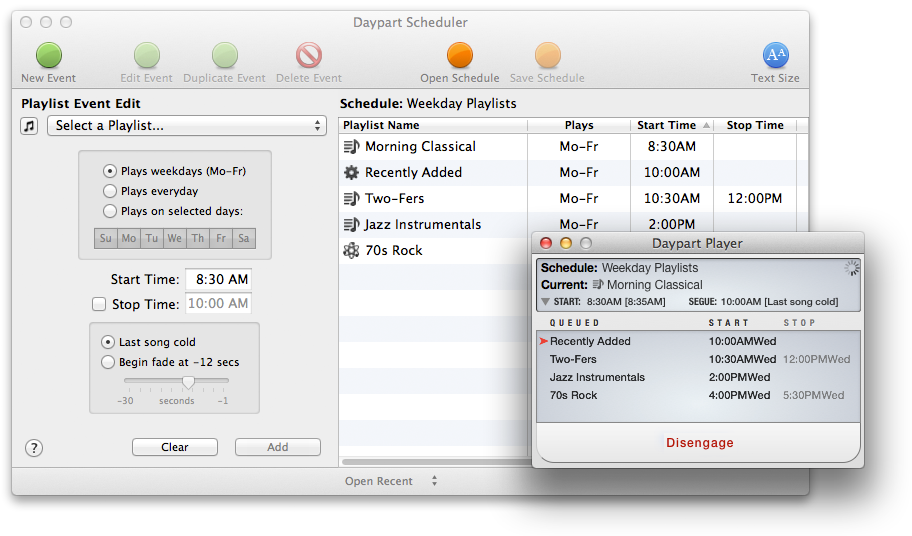
I'm very pleased with this latest version. I had the extraordinary luck of being able to assemble a great group of hardcore Daypart users as beta-testers. This group included cafe, bar and hostel operators in the US and Europe who were able to put Daypart through some serious paces. (From the German hostel owner: "400 person hostel, daily 7am wake-up program made by kids, scheduled with Daypart, transmitted via Airplay to 3 Airport Express wired to three 100 volt PA systems with speakers in each room of our hostel". Wow.)
This version fixes issues with day/week localizations, fixes a problem with setting fade seconds, tames some excessive CPU usage, improves memory mangement, and has general performance fixes for increased reliability. All current users are encouraged to update to Daypart v2.4.0.
Additionally, this version drops support for pre-OS X 10.8 operating systems. However, I have prepared a version 2.3.1 with comparable fixes for OS X 10.6-10.8 which can be downloaded from this page. Version 2.3.1 will be the last version of Daypart that runs on pre-OS X 10.8 systems.
UPDATED: Random Full Albums to Playlist
Random Full Albums to Playlist v1.1 will assemble a user-set number of randomly selected full albums to a playlist.
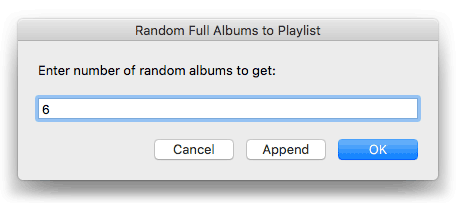
This version fixes a problem whereby only the last disk in a multi-disk collection would ever be selected. Now, only a single disk in such a collection will be selected.
More information and download is here.
iTunes 11.3.1 Released
Apple has posted iTunes 11.3.1 which fixes some podcast related issues.
