
 Apple Music Profile
 YouTube Channel
 RSS Feed
 Play Play
 Murph
Murph Yer Stack
 Block Party Weekend
 30 Most Recent RSS Feed
Sequoia
UPDATED: Merge-Delete Playlists v7.5
This script will allow you to merge the track contents of two or more playlists to a new or existing playlist or delete any number of playlists at once, including Smart, Genius, and Playlist Folder playlists. The merge feature will prevent the same tracks that may appear in different source playlists from being duplicated and has an option to delete original playlists. The delete feature only deletes playlists; tracks, of course, remain in the library.
This app is free to try full-featured in Demo Mode. In Demo Mode it will only process 5 playlists per launch. If you like it you can purchase a code for $1.99 which will unlock the Demo Mode restriction. Launch the app and click "Register..." in its File menu to make an in-app purchase.
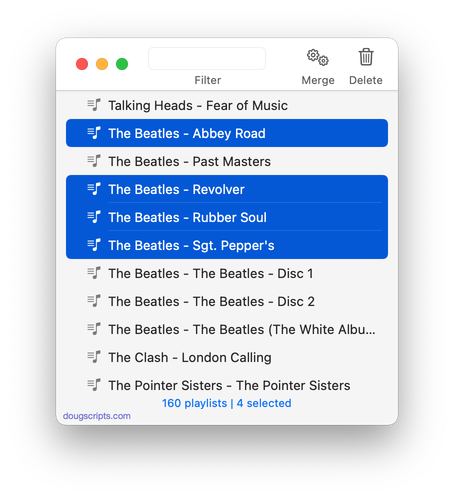
Latest version:
- Accommodations for macOS 26/Tahoe
More information for Merge-Delete Playlists v7.5 and download link is here.
UPDATED: Media Folder Files Not Added v2.6
This application will list the file paths of the media files in your designated "Media" folder which are not associated with any tracks in the Music or TV app's track library. Additionally, a different parent folder can be user-selected and its contents will be compared to the current library. Includes options to Filter within results, Move a selection of found files to a user-chosen folder, Search for related tracks in Music app, Add (or drag-and-drop) a selection of found files to Music or TV, move them to the Trash and Export a text file listing the file paths.
Also see Super Remove Dead Tracks and List MIAs.
This app is free to try in Demo Mode with some features restricted. If you like it you can purchase a code for $2.99 which will unlock the inhibited "Add", "Trash" and other features. Launch the app and click "Register..." in the its File menu to make an in-app purchase .
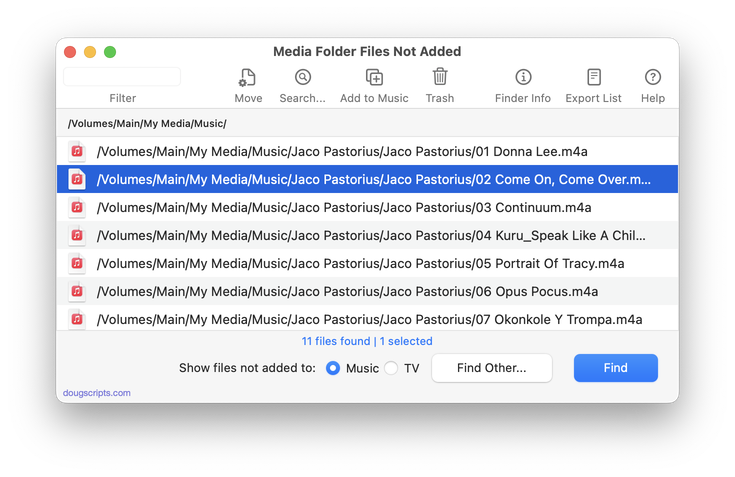
Latest version:
- Accommodations for macOS 26/Tahoe
More information for Media Folder Files Not Added v2.6 and download link is here.
UPDATED: CD-Text to CD Info v6.4
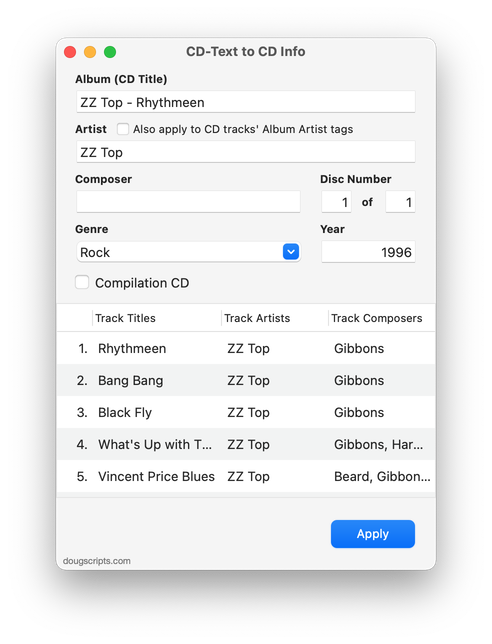
This applet will attempt to extract the CD-Text information from the selected audio CD in the Music app and apply it to the CD's disc and track tags.
Some commercial CDs and commercial CD burning software (including the Music app) can use CD-Text as a method of including text data on an audio CD. This data can include Artist (Performer), Album, Composer, Track Title, and Genre info. See the Read Me for more information.
Latest version:
- Accommodations for macOS 26/Tahoe
More information for CD-Text to CD Info v6.4 and download link is here.
UPDATED: This Tag That Tag v6.4
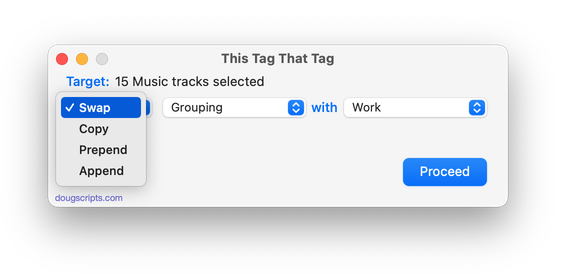
This applet will assist with swapping, copying, and appending data between two user-chosen tags in selected tracks or tracks in the selected playlist:
Swap - swap data between tags, ex: ARTIST<->COMPOSER
Copy - copy data from one to another tag, ex: ARTIST->COMPOSER ARTIST
Append - append data from one tag to the end of another, ex: ARTIST->COMPOSER - ARTIST
Prepend - append data from one tag to the beginning of another, ex: ARTIST->ARTIST - COMPOSER
The latter three actions also provide an option to delete the info from the first tag after the copy. Read Me explains all.
This app is free to try full-featured in Demo Mode. In Demo Mode it will only process 12 tracks per launch. If you like it you can purchase a code for $1.99 which will unlock the 12-track restriction. Launch the app and click "Register..." in its File menu to make an in-app purchase.
Latest version:
- Accommodations for macOS 26/Tahoe
More information for This Tag That Tag v6.4 and download link is here.
UPDATED: List MIAs v6.5
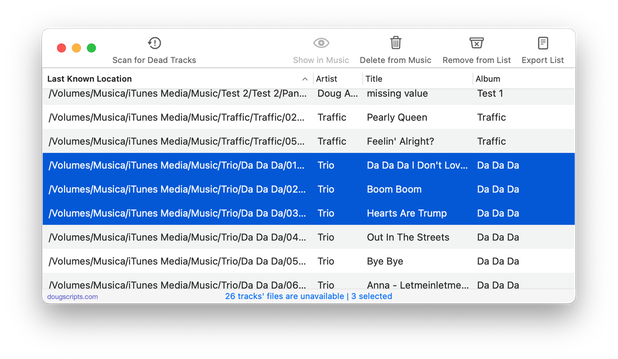
This applet checks your Music or TV library for missing and presumed dead tracks--those tracks that have become disassociated from their file and which are listed with a "!"--and can delete them from the app or create a text file listing these tracks by last known File Path, Title, Artist and Album, which you can view using TextEdit.
Also see Super Remove Dead Tracks and Media Folder Files Not Added.
Free to use in Demo Mode: While in Demo Mode, dead tracks will be displayed and can be exported as a list to a text file. Delete from Music/TV and other features will be disabled.
To purchase a registration code and remove these restrictions, download and launch the app. Click "Register..." in its File menu and follow the prompts to purchase a code for $2.99. When your payment is processed, you will be emailed a registration code that will unlock the Demo Mode restrictions.
Latest version:
- Accommodations for macOS 26/Tahoe
More information for List MIAs v6.5 and download link is here.
UPDATED: Super Remove Dead Tracks v6.4
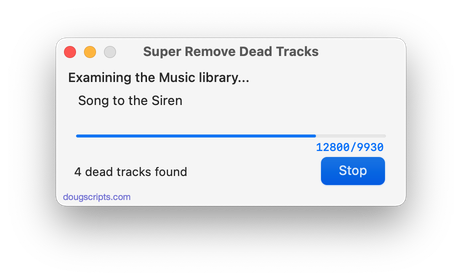
Scans the Music or TV app for tracks whose files are inaccessible or no longer available (so-called "dead" tracks). Outputs a tab-delimited text log listing the tracks by Artist, Name, Album and last known file location. The registered version will delete the tracks.
Also see List MIAs and Media Folder Files Not Added.
Latest version:
- Accommodations for macOS 26/Tahoe
- Removed "Stop" feature due to an OS regression; may return in future
More information for Super Remove Dead Tracks v6.4 and download link is here.
UPDATED: Search-Replace Tag Text v7.4
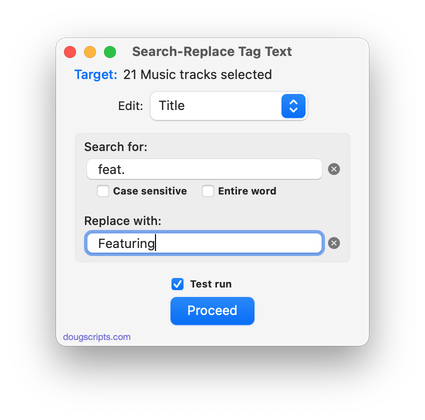
Performs a search-and-replace on the text in your choice of track tags in the Music or TV app (Title, Artist/Director, Album Artist, Album, Composer, Comments, Genre, Grouping, Show, Movement or Work) in the selected tracks or all the tracks in the selected Playlist. Features case sensitivity and whole word match options and "Test run" preview.
This app is free to try in Demo Mode. In Demo Mode only up to 5 tracks can be processed per launch. You can purchase a code for $1.99 which will remove the 5-track Demo Mode restriction. Launch the app and click "Register..." in the its File menu to make an in-app purchase.
Latest version:
- Accommodations for macOS 26/Tahoe
More information for Search-Replace Tag Text v7.4 and download link is here.
UPDATED: Increment Number Tags v4.3
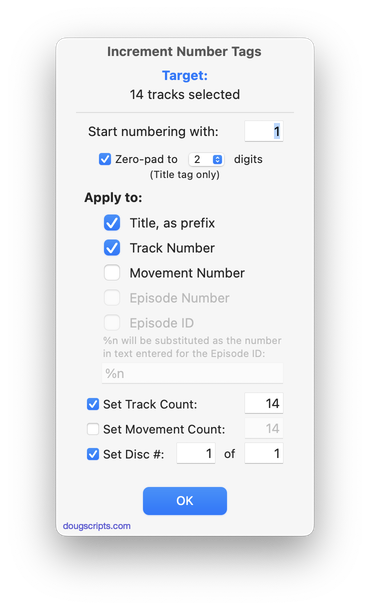
This script will incrementally number your choice of the Track Number, Movement Number, Episode Number, Episode ID tags, and track Name prefix of the selected tracks. Additionally, a Track Count, Disc Number/Count and/or Movement Count can be applied to each track, Episode ID can be configured with additional text incorporating the number, and zero-padding up to five digits can be applied. (The selected tracks must be sorted by ascending Play Order for accurate results.)
Latest version:
- Fixes a problem with setting starting number
More information for Increment Number Tags v4.3 and download link is here.
