
 Apple Music Profile
 YouTube Channel
 RSS Feed
 Play Play
 Murph
Murph Yer Stack
 Block Party Weekend
 Elevendy
 Dupin v4.0.0
 Join Together
 M3Unify
 30 Most Recent RSS Feed
March 2026
UPDATED: Save Album Art to Album Folder v7.4
This script will export the artwork of each of the selected tracks (or the tracks in a selected playlist) as an image file to the folder which contains each selected track's file--presumably each track's Album folder--or to a single user-selected folder. If multiple album tracks are selected, the script will make sure only one artwork file per Album is exported.
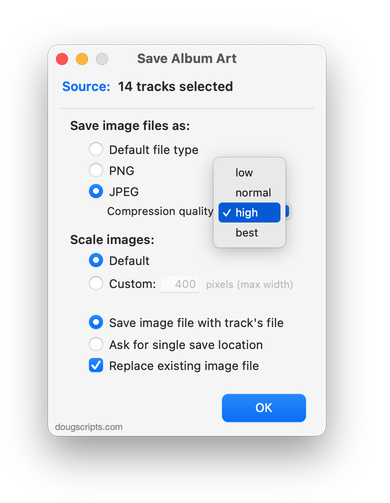
Latest version:
- Maintenance and minor performance fixes
- Fixes glitch in Settings
More information for Save Album Art to Album Folder v7.4 and download link is here.
UPDATED: Save Album Art as folder.jpg v5.3
This script will export the artwork of the selected tracks or tracks in the selected playlist as a JPEG image file named folder.jpg to the folder which contains each selected track's file--presumably the track's Album folder. Many third-party music players and systems may look for a "folder.jpg" here to use as display artwork. If multiple album tracks are selected, the script will make sure only one image file per Album is exported.
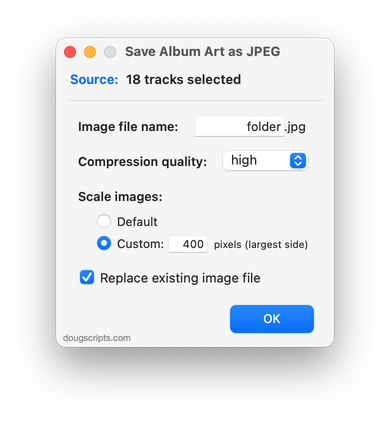
Latest version:
- Maintenance and minor performance fixes
More information for Save Album Art as folder.jpg v5.3 and download link is here.
UPDATED: Quick Convert v5.7
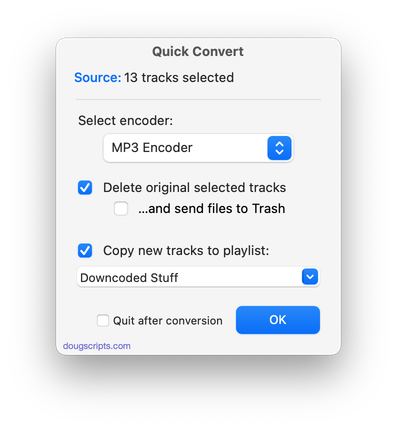
Convert all or just the selected tracks of the selected Playlist using your choice of available encoders, restoring your Preferences-set encoder afterwards.
Additionally, you can:
- Choose to delete and/or Trash the original tracks and/or files
- Copy all converted tracks to a playlist
Latest version:
- Fixes issue with setting to float
- Maintenance and minor performance fixes
- Accommodations for macOS Sonoma
More information for Quick Convert v5.7 and download link is here.
UPDATED: Insert Text into Tag v1.3
This script will insert the same user-entered text at a specific position in the designated tag of each selected track.
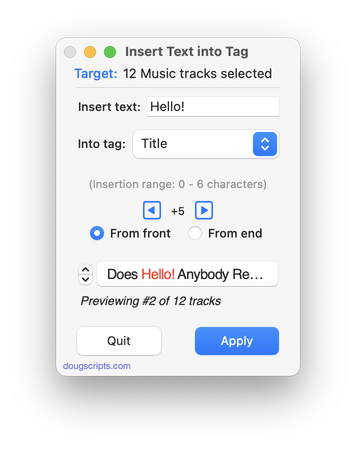
The Title, Artist, Director, Album Artist, Album, Category, Composer, Comments, Grouping, Movement, Work and associated Sort tags are the options available in the Popup.
Latest version:
- Fixes issue with default popup selection
- Maintenance and minor performance fixes
More information for Insert Text into Tag v1.3 and download link is here.
