
 Apple Music Profile
 YouTube Channel
 RSS Feed
 Play Play
 Murph
Murph Yer Stack
 Block Party Weekend
 30 Most Recent RSS Feed
March 2026
Script of the Day: Playlists Info
Playlists Info will display a sortable list of playlists from the selected source (the local library or a mounted device) along with their size, time and number of tracks. Additionally, the script can export a text file listing that information heirarchically.
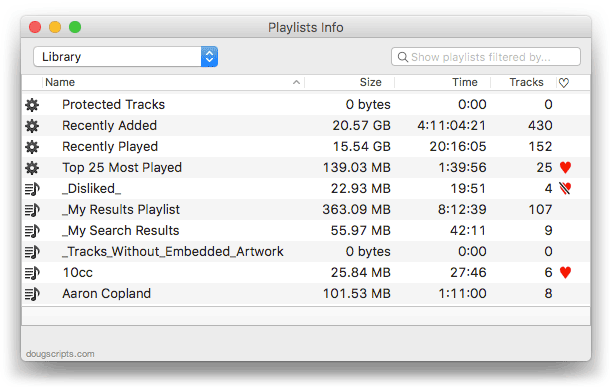
By default it will display the playlists in the local iTunes library. But in the screenshot above, I've selected to view the playlists on my iPod touch. The window will stay open over iTunes. Double-clicking a playlist in the list will select it in iTunes.
More information and download is here.
Subscribe to my RSS feed or follow @dougscripts on Twitter to get daily "Script of the Day" notifications.
Minor Update for M3Unify
I just released an update to M3Unify. Version 1.2.4 makes some very minor fixes to the UI.
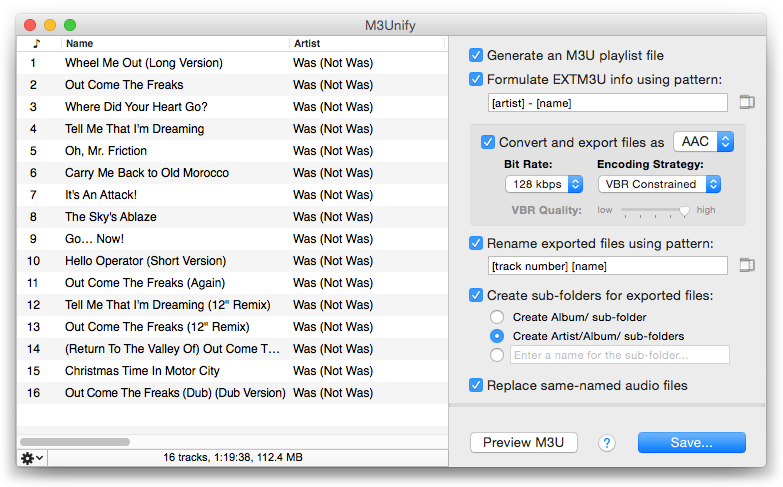
M3Unify is an app that will copy/convert the files of tracks dragged from iTunes to external media, like a thumbdrive or SD card (or any location, really) using plenty of options and, perhaps obviously, will optionally create a M3U playlist file based on the order of the tracks.
More info, including video demo, is here.
Script of the Day: CD Text to CD Info
CD Text to CD Info will attempt to extract the CD Text information from the selected audio CD in iTunes and apply it to the CD's disc and track tags.
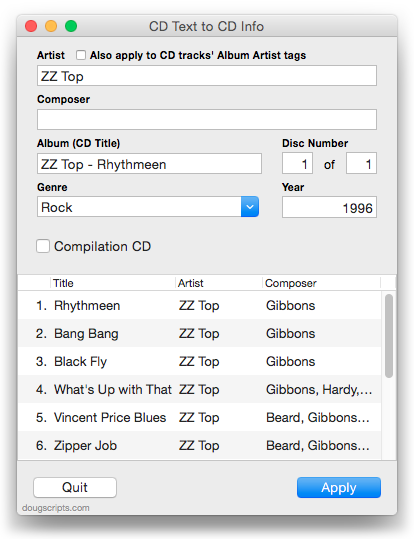
Some commercial CDs and commercial CD burning software (including iTunes) can use CD Text as a method of including text data on an audio CD. This data can include Artist (Performer), Album, Composer, Track Title, and Genre info. See the Read Me for more information.
More info and download here.
Subscribe to my RSS feed or follow @dougscripts on Twitter to get daily "Script of the Day" notifications.
UPDATED: Make Playlists By Tag v2.0
Make Playlists By Tag v2.0 will create Music track playlists based on each selected entry of a specified tag. That is, create individual playlists by Artist, Album Artist, Album, Composer (and their "Sort" siblings), Genre, or Year.
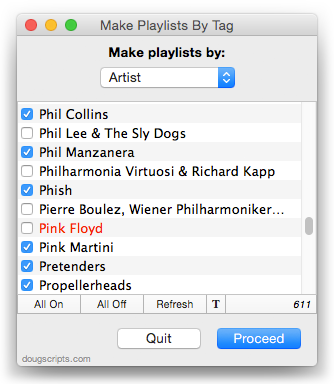
In the screenshot above, the script will create a playlist for each checkmarked Artist.
This latest version is essentially a maintenance update for better compatibility with Yosemite and also fixes an issue where tags containing white space characters would appear as blank; now the script ignores such tags.
OS X 10.8 and later only. More info and download is here.
