 30 Most Recent RSS Feed
 Apple Music Profile
 YouTube Channel
 RSS Feed
 Play Play
 Murph
Murph Yer Stack
 Block Party Weekend
 Elevendy
 Dupin v4.0.0
 Join Together
 M3Unify
UPDATED: Lyrics Tag Viewer v1.2
View and edit a selected track’s Custom Lyrics tag in a non-modal window, which, unlike a track’s Info panel, will not block keyboard and mouse activity in the Music app’s interface.
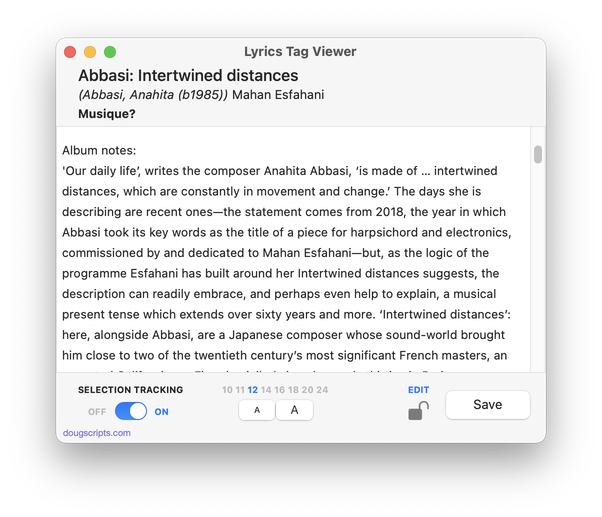
Whereas the Comments tag can only accept about 250 text characters, the “Custom Lyrics” tag can hold a lot of text. And I mean a lot of text. Custom Lyrics text will also get written to a track’s file as metadata. So it’s an ideal place to store information about an album. Especially if you’re not interested in storing lyrics there.
I got in the habit of using the Lyrics tag of the first track of an album to store liner-note-caliber text snippets about the album. Or actual liner notes if they are available. The screenshot above shows some text I copied from the album’s Wikipedia entry. In any case, I know that if an album has any info it’ll be in track 1’s Lyrics.
But a track’s Show Info displays a modal window which prevents doing anything else with the Music app while it’s open. So I use Lyrics Tag Viewer to display the lyrics or liner notes or what have you while an album is playing but without blocking access to Music.
Latest version:
- Minor UI updates and maintenance
More information for Lyrics Tag Viewer v1.2 and download link is here.
