 30 Most Recent RSS Feed
 Apple Music Profile
 YouTube Channel
 RSS Feed
 Play Play
 Murph
Murph Yer Stack
 Block Party Weekend
 Elevendy
 Dupin v4.0.0
 Join Together
 M3Unify
September 1 2026 - 10:03 am
UPDATED: Save Album Art as folder.jpg v6.0
This script will export the artwork of the selected tracks or tracks in the selected playlist as a JPEG image file named folder.jpg to the folder which contains each selected track’s file–presumably the track’s Album folder. Many third-party music players and systems may look for a “folder.jpg” here (or “cover.jpg” “album.jpg”, “artwork.jpg”, etc) to use as display artwork. If multiple album tracks are selected, the script will make sure only one image file per Album is exported.
Also see Save Album Art to Album Folder.
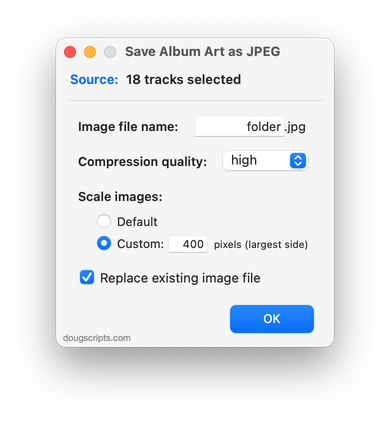
Latest version:
- UI and layout updates for macOS 26 and later
- Code maintenance
- Icon and docs update
More information for Save Album Art as folder.jpg v6.0 and download link is here.
