 30 Most Recent RSS Feed
 Apple Music Profile
 YouTube Channel
 RSS Feed
 Play Play
 Murph
Murph Yer Stack
 Block Party Weekend
 Elevendy
 Dupin v4.0.0
 Join Together
 M3Unify
NEW: Remove Un-Checkmarked v1.0
A track’s checkmark button property is named enabled in the Music app’s AppleScript lingo. I wish everybody knew that because “enabled button” is a better name for that widget than “songs list checkbox”, right? The track checkbox has been around since SoundJam MP, the audio player Napoleon had with him at the Battle of Wagram in July of 1809. Ostensibly used to indicate which tracks to rip from a CD or which should sync to something and all that kind of thing, the checkmark button is generally a handy way to demarcate these tracks from those tracks in a playlist. That makes it a sort of track selection apparatus.
I hadn’t really used track checkmarks for years and until recently kept them hidden via the Music app’s Settings… > General panel. But I got into a situation while pruning a playlist whereby I didn’t want to remove any tracks from it just yet; I wanted to see how the whole playlist looked before mentally committing to removing anything. So, I un-checked the tracks that I thought could be removed, sometimes changing my mind and checking them back on later, as one does, and sculpted the playlist like that.
Then I fired this script at it.
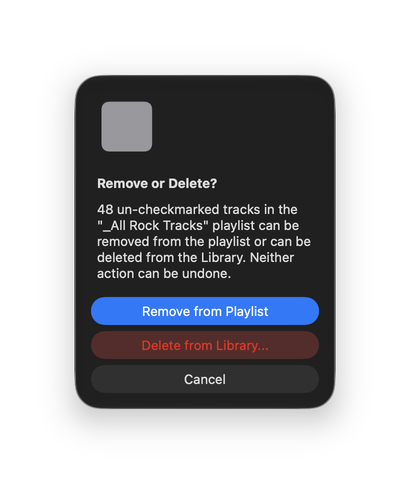
Remove Un-Checkmarked can either remove the un-checkmarked tracks from a playlist (re-checkmarking them back “on” after removal) or delete them entirely from the Music app’s Library with the standard option to keep their files or move them to the Trash.
It even has an image of a really large un-checkmarked checkbox right there to remind you what an un-checkmarked checkbox looks like in case you forget.
Users of Scan For Double Entries may find Remove Un-Checkmarked useful for assisting with deleting tracks post scan.
Latest version:
- Initial release
More information for Remove Un-Checkmarked v1.0 and download link is here.
