 30 Most Recent RSS Feed
 Apple Music Profile
 YouTube Channel
 RSS Feed
 Play Play
 Murph
Murph Yer Stack
 Block Party Weekend
 Elevendy
 Dupin v4.0.0
 Join Together
 M3Unify
macOS 27
UPDATED: Media Folder Files Not Added v3.0
This application will list the file paths of the media files in your designated “Media” folder which are not associated with any tracks in the Music or TV app’s track library. Additionally, a different parent folder can be user-selected and its contents will be compared to the current library. Includes options to Filter within results, Move a selection of found files to a user-chosen folder, Search for related tracks in Music app, Add (or drag-and-drop) a selection of found files to Music o, move them to the Trash and Export a text file listing the file paths.
Also see Super Remove Dead Tracks and List MIAs.
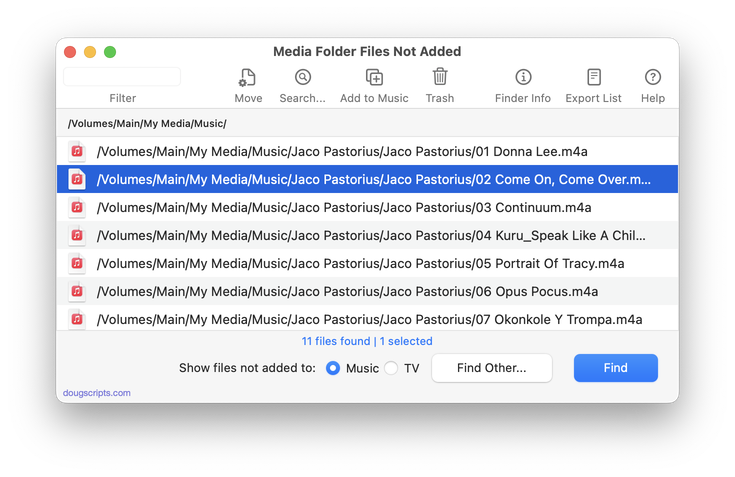
Latest version:
- UI and layout updates for macOS 26 and later
- Removes support for TV app
- Fixes table layout issue
- Fixes minor issue with NAS locations
More information for Media Folder Files Not Added v3.0 and download link is here.
UPDATED: Merge-Delete Playlists v7.6
This applet will allow you to merge the track contents of two or more playlists to a new or existing playlist or delete any number of playlists at once, including Smart, Genius, and Playlist Folder playlists. The merge feature will prevent the same tracks that may appear in different source playlists from being duplicated and has an option to delete original playlists. The delete feature only deletes playlists; tracks, of course, remain in the library.
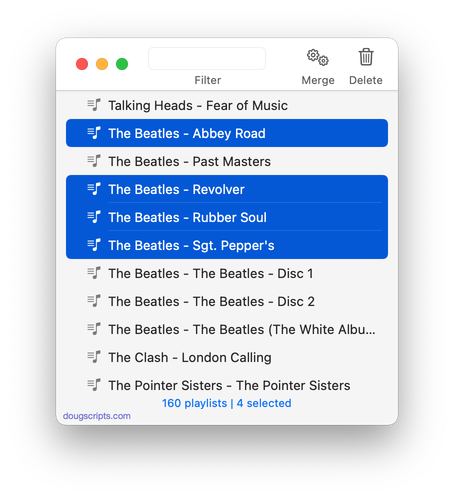
Latest version:
- UI and layout updates for macOS 26 and later
- Maintenance
- Icon and docs update
More information for Merge-Delete Playlists v7.6 and download link is here.
UPDATED: File Renamer v5.4
This applet will rename the files of the selected tracks (or the files of the tracks in the selected playlist) using a substitution pattern that you formulate from the tracks’ tag data. Optionally, export a copy of the files to a chosen location and rename the files in that location.
Works optimally for “in place” option with Music app’s “Keep Media folder organized” un-checked.
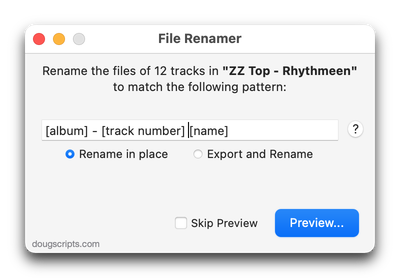
Latest version:
- UI and layout adjustments
- Larger pattern entry field
- Zero-pads all single-digit track and disc numbers and counts
- Better validation of pattern
- Fixed further regression issues
- Maintenance
More information for File Renamer v5.4 and download link is here.
NEW: Selected Tags to Lyrics v2.0
iPhone and iPad can display the lyrics tag full screen, which can allow for more tag information to be visible. This applet will copy the contents of selected tags in the Music app to the lyrics tag of each selected track as “Custom Lyrics”. Each tag will be labeled and listed vertically. The order of tag placement can be arranged by dragging the listed tag rows. Unneeded tags can be ignored. Then it’s just a matter of re-sync’ing the tracks to the device.
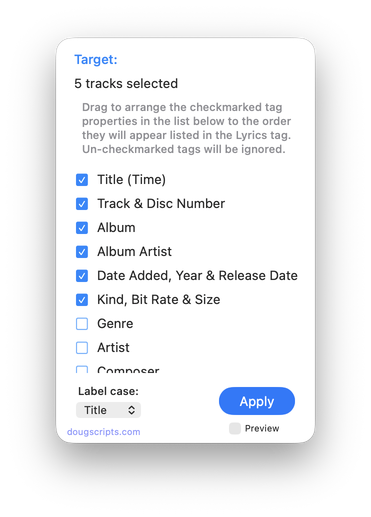
Latest version:
- Initial re-release for the Music app
More information for Selected Tags to Lyrics v2.0 and download link is here.
NEW: Playlist Countdown v1.0
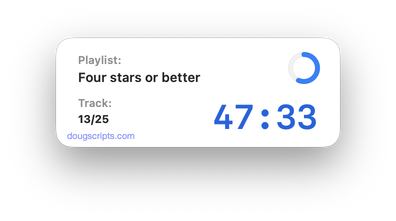
Back when we had record albums and cassette tapes every day of our lives, you could throw a glance at the player and get a pretty good idea of how much time was left on the side. Also, as a former radio DJ, I have a lingering professional anxiety about how long some sound thing is going to take to finish.
But when I play a playlist in the Music app I’m afraid my math skills are not speedy enough to calculate anything beyond “looks like it might be about half over I dunno”.
After years of having minor Quakes of Angst, I finally got around to making Playlist Countdown. It will countdown the time remaining in a playing playlist. If you need to know that. Like I know I frequently do.
Latest version:
- Initial release
More information for Playlist Countdown v1.0 and download link is here.
UPDATED: Save Album Art to Album Folder v8.0
This script will export the artwork of each of the selected tracks (or the tracks in a selected playlist) as an image file to the folder which contains each selected track’s file–presumably each track’s Album folder–or to a single user-selected folder. If multiple album tracks are selected, the script will make sure only one artwork file per Album is exported.
Also see Save Album Art as folder.jpg.
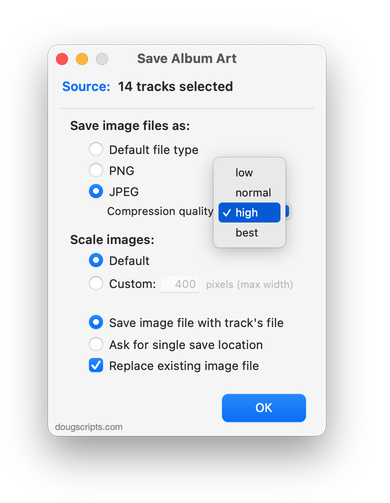
Latest version:
- UI and layout updates for macOS 26 and later
- Adds option to delete any existing image files in the Album folder before new export
- Code maintenance
- Icon and docs update
More information for Save Album Art to Album Folder v8.0 and download link is here.
UPDATED: Save Album Art as folder.jpg v6.0
This script will export the artwork of the selected tracks or tracks in the selected playlist as a JPEG image file named folder.jpg to the folder which contains each selected track’s file–presumably the track’s Album folder. Many third-party music players and systems may look for a “folder.jpg” here (or “cover.jpg” “album.jpg”, “artwork.jpg”, etc) to use as display artwork. If multiple album tracks are selected, the script will make sure only one image file per Album is exported.
Also see Save Album Art to Album Folder.
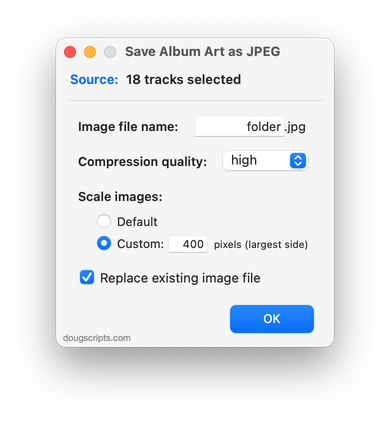
Latest version:
- UI and layout updates for macOS 26 and later
- Code maintenance
- Icon and docs update
More information for Save Album Art as folder.jpg v6.0 and download link is here.
UPDATED: Artwork as Album Folder Icon v3.4
This script will use the assigned artwork from the selected tracks as the icon for the folder containing each track’s corresponding file in the Finder–presumably, this is the file’s “Album” folder.
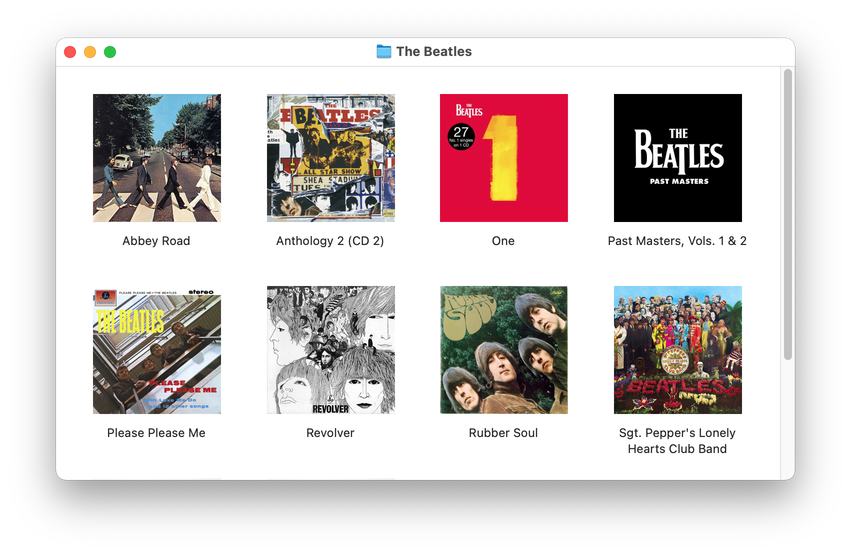
Latest version:
- UI and layout updates for macOS 26 and later
- Minor maintenance
More information for Artwork as Album Folder Icon v3.4 and download link is here.
Getting Ready for macOS 27
I’ve run all of the macOS 27 Developer Betas to date. And with the exception of some issues early on—now resolved—I’ve been pretty pleased with how Golden Gate has been working. I think I can safely say that scripts and apps that ran in macOS 26 Tahoe will work fine in the macOS 27 final release. I might even say run better, but that may just be my experience with an uncluttered clean install of the betas.
In case you didn’t know, macOS 26 Tahoe is the last Mac operating system that will run on Intel Macs; macOS 27 and later will require an Apple silicon processor Mac. If my math is right, these last Intel Macs will be about six or seven years old by now. Rosetta 2, which Apple makes available for Apple silicon Macs that need to run Intel-based apps, will also be phased out. If you are running an old-style, strictly Intel-based script you should check for the latest version. Modern versions of scripts have been Apple silicon compatible, aka “Universal”, for several years. Most have a minimum system version requirement of macOS 12. I’m likely to increase this to 14 or 15 in the coming year.
You may want to download the latest Doug’s Check For All Updates which is version 2.0. Previous versions will cease to work as of January 1, 2027.
As always, thanks for being a faithful supporter!
UPDATED: Remove n Characters From Front or Back v8.0
This script will delete a specified number of characters from either the beginning or the ending of the Title, Album, Album Artist, Artist, Category, Comments, Composer, Grouping,Movement or Work tag of each selected track. For example, delete the initial digits and the space from “01 First Track”, “02 Second Track”, and so on.
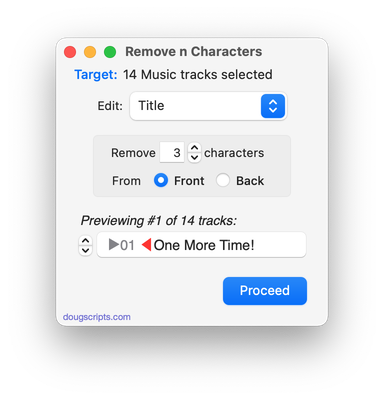
Latest version:
- UI and layout updates
- Removes support for TV app
- Preview displays to-be-removed text in strikethrough
- Icon and docs updat
More information for Remove n Characters From Front or Back v8.0 and download link is here.
