 30 Most Recent RSS Feed
 Apple Music Profile
 YouTube Channel
 RSS Feed
 Play Play
 Murph
Murph Yer Stack
 Block Party Weekend
 Elevendy
 Dupin v4.0.0
 Join Together
 M3Unify
Managing Tracks
UPDATED: Search Results to Playlist v3.2
For macOS 10.15 and later only. Search the entire Music app library, or a selected playlist, for user-entered text by All, Song Title, Artist, Album, or Composer tag and copy the track results to a Search Results playlist, which will be created automatically if necessary. Can optionally re-create or append to the Search Results playlist on each run.
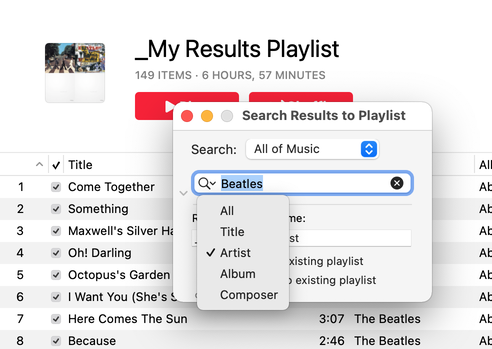
Latest version:
- Additional accommodations for macOS 11 Big Sur
More information for Search Results to Playlist v3.2 and download link is here.
UPDATED: Scan For Double Entries v3.2
For macOS 10.15 and later only. This applet will scan your Music library for pairs of track entries that–very strangely–point to the same file and then copy those tracks to a discrete playlist for further examination; presumably you’ll want to remove one of the faux pair tracks without Trashing the single associated file.
More about this issue is here.
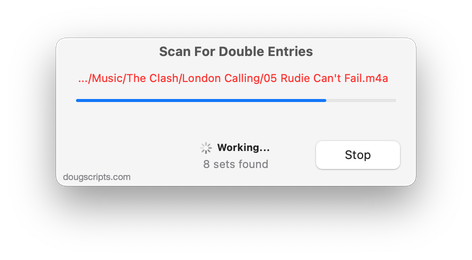
Latest version:
- Additional accommodations for macOS 11 Big Sur
More information for Scan For Double Entries v3.2 and download link is here.
UPDATED: Playlist Manager v3.2
For macOS 10.15 and later only. The Music app only allows one playlist to be selected at a time. This applet can perform common useful tasks on a multiple selection of playlists: playlist title renaming (add text, remove text, search and replace text) and duplicate, delete, export, move and merge playlists.
This app is free to try full-featured in Demo Mode. While in Demo Mode, only up to 10 playlists can be manipulated per launch. If you like it you can purchase a code for $2.99 which will unlock the Demo Mode limitation. Launch the app and click “Register…” in its File menu to make an in-app purchase.
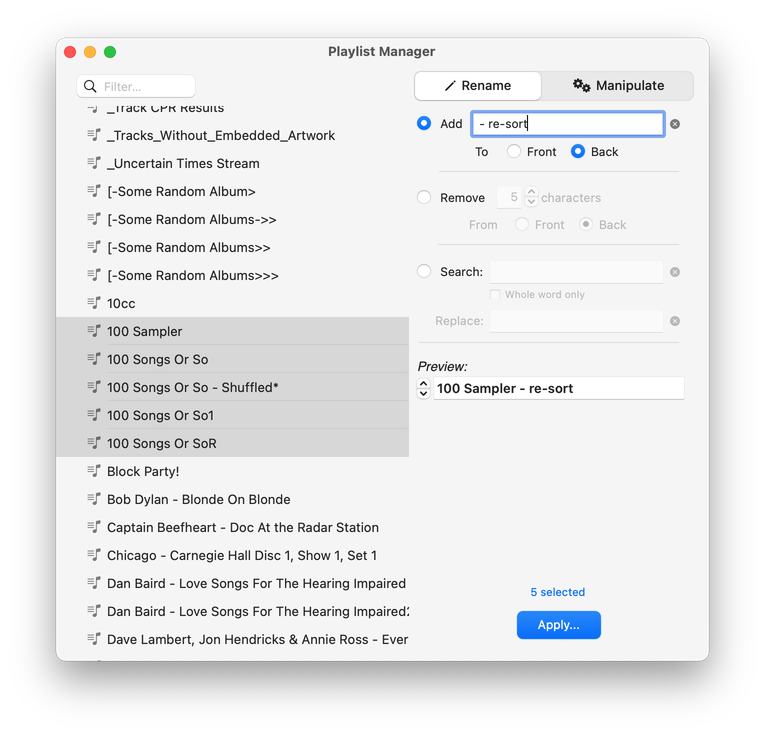
Latest version:
- Additional accommodations for macOS 11 Big Sur
More information for Playlist Manager v3.2 and download link is here.
UPDATED: Not In Any Playlist v3.2
For macOS 10.15 and later only. This applet will scan the Music app for tracks that are not assigned to any user-created playlists and display them. The registered version includes options to export the list as a text file and copy selected tracks to a new or existing playlist.
This app is free to try in Demo Mode. In Demo Mode, several convenient features will be disabled. If you like it you can purchase a code for $2.99 which will unlock the Demo Mode restrictions. Launch the app and click “Register…” in the its File menu to make an in-app purchase.
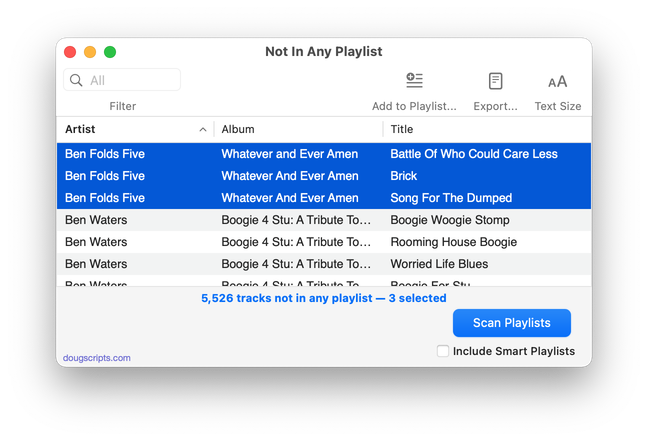
Latest version:
- Additional accommodations for macOS 11 Big Sur
More information for Not In Any Playlist v3.2 and download link is here.
UPDATED: Needle Drop v7.3
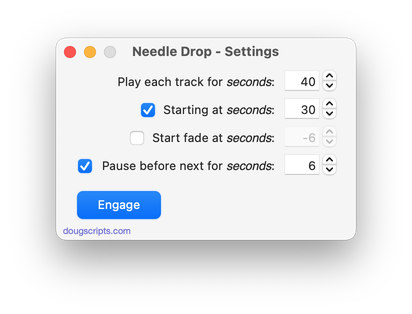
For macOS 10.15 and later only. This applet plays each track in the selected Music playlist for a set time interval optionally starting at a set number of seconds into each track, beginning with the selected track. Handy for ‘scoping playlists.
Needle Drop will work best on tracks that have local files. Un-cached tracks streamed from the cloud may upset timing while audio is being downloaded.
For best results clear the Up Next list before engaging.
Also see Audition End.
Latest version:
- Additional accommodations for macOS 11 Big Sur
More information for Needle Drop v7.3 and download link is here.
UPDATED: List MIAs v5.8
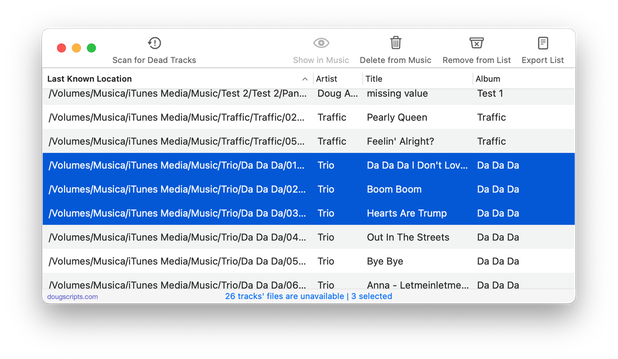
For macOS 10.15 and later only. This applet checks your Music or TV library for missing and presumed dead tracks–those tracks that have become disassociated from their file and which are listed with a “!”–and can delete them from the app or create a text file listing these tracks by last known File Path, Song Name, Artist and Album, which you can view using TextEdit.
Also see Super Remove Dead Tracks and Media Folder Files Not Added.
Free to use in Demo Mode: While in Demo Mode, dead tracks will be displayed and can be exported as a list to a text file. Delete from Music/TV and other features will be disabled.
To purchase a registration code and remove these restrictions, download and launch the app. Click “Register…” in its File menu and follow the prompts to purchase a code for $2.99. When your payment is processed, you will be emailed a registration code that will unlock the Demo Mode restrictions.
Latest version:
- Additional accommodations for macOS 11 Big Sur
More information for List MIAs v5.8 and download link is here.
UPDATED: Copy Tracks to Multiple Playlists v5.3
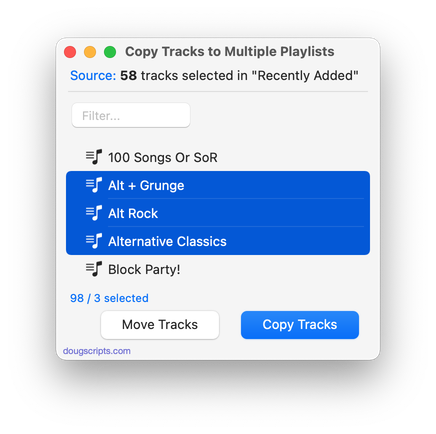
For macOS 10.15 and later only This script will copy the selected tracks to one or more chosen playlists.
Also see Remove From Other Playlists.
Latest version:
- Additional accommodations for macOS 11 Big Sur
More information for Copy Tracks to Multiple Playlists v5.3 and download link is here.
UPDATED: Audition End v3.3
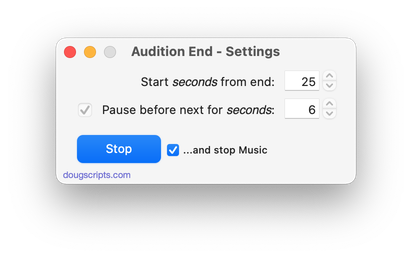
For macOS 10.15 and later only. Play through each track in a playlist by a set number of seconds (:05 – :60) from the end. Additionally, wait a set number of seconds between each track; when engaged, begins playing from the first track or the first selected track in the playlist.
For best results clear the Up Next queue before engaging.
Also see Needle Drop.
Latest version:
- Additional accommodations for macOS 11 Big Sur
More information for Audition End v3.3 and download link is here.
UPDATED: Not In Any Playlist v3.0
For macOS 10.15 and later only. This applet will scan the Music app for tracks that are not assigned to any user-created playlists and display them. The registered version includes options to export the list as a text file and copy selected tracks to a new or existing playlist.
This app is free to try in Demo Mode. In Demo Mode, several convenient features will be disabled. If you like it you can purchase a code for $2.99 which will unlock the Demo Mode restrictions. Launch the app and click “Register…” in the its File menu to make an in-app purchase.
Latest version:
- Accommodations for macOS 11 Big Sur
- Slight change in logistics
- Removes 10-day trial; unregistered versions operate in feature-limited Demo Mode
- Performance, UI and security enhancements
More information for Not In Any Playlist v3.0 and download link is here.
UPDATED: Track Titles to Sentence Caps v2.1
For macOS 10.15 and later only. Change the case of the selected Music or TV track titles to “sentence case”: all lowercase with the initial letter uppercase. For example, “L’effet Que Tu Me Fais” would become “L’effet que tu me fais”, and “Comme D’Habitude” becomes “Comme d’habitude”. This is customary in many languages.
Also see Track Titles to Word Caps and Proper English Title Capitalization.
Latest version:
- Fixes a bug that probably prevented the script from actually working(!)
- v2.0 (september 26):
- Initial release for the Music and TV apps
More information for Track Titles to Sentence Caps v2.1 and download link is here.
