 30 Most Recent RSS Feed
 Apple Music Profile
 YouTube Channel
 RSS Feed
 Play Play
 Murph
Murph Yer Stack
 Block Party Weekend
 Elevendy
 Dupin v4.0.0
 Join Together
 M3Unify
Managing Tracks
UPDATED: Audition End v3.2
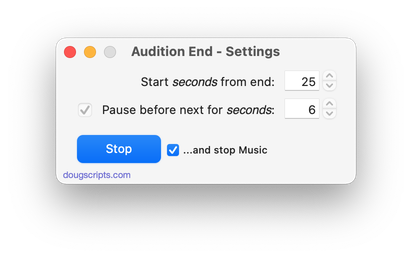
For macOS 10.15 and later only. Play through each track in a playlist by a set number of seconds (:05 – :60) from the end. Additionally, wait a set number of seconds between each track; when engaged, begins playing from the first track or the first selected track in the playlist.
For best results clear the Up Next queue before engaging.
Also see Needle Drop.
Latest version:
- Accommodations for macOS 11 Big Sur
- Performance, UI and security enhancements
More information for Audition End v3.2 and download link is here.
UPDATED: Scan For Double Entries v3.1
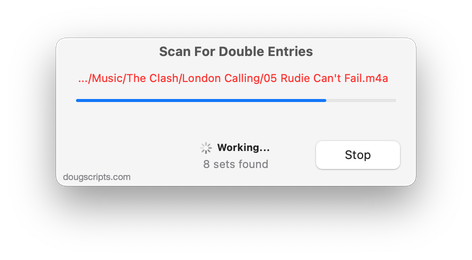
For macOS 10.15 and later only. This applet will scan your Music library for pairs of track entries that–very strangely–point to the same file and then copy those tracks to a discrete playlist for further examination; presumably you’ll want to remove one of the faux pair tracks without Trashing the single associated file.
More about this issue is here.
Latest version:
- Accommodations for macOS 11 Big Sur
- Performance, UI and security enhancements
More information for Scan For Double Entries v3.1 and download link is here.
UPDATED: Track Down Purchases v4.1
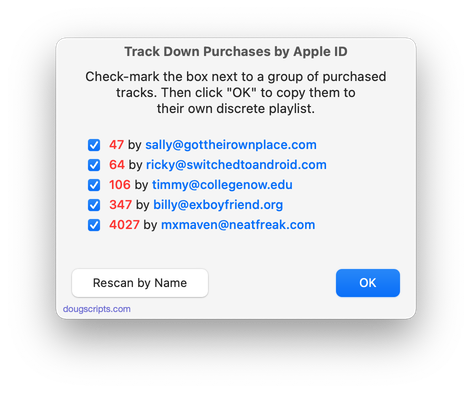
For macOS 10.15 Catalina and later. This applet can examine the Music library and sort audio tracks purchased from iTunes into discrete playlists by either the purchaser’s name or Apple ID (eg: “Purchased by Jane Smith” or “Purchased by janesmith@email.com”) which in turn will be placed in a “Purchaser Playlists” playlist folder.
Free to try in Demo Mode: While in Demo Mode, the number of tracks associated with each Purchaser will be reported but sorting tracks into playlists is disabled. An in-app purchase of a registration code will enable playlist creation.
To purchase a registration code, download and launch the app. Click “Register…” in its File menu and follow the prompts to purchase a code for $1.99. When your payment is processed, you will receive a registration code that will unlock the Demo Mode restriction.
Latest version:
- Maintenance update
More information for Track Down Purchases v4.1 and download link is here.
UPDATED: List MIAs v5.6
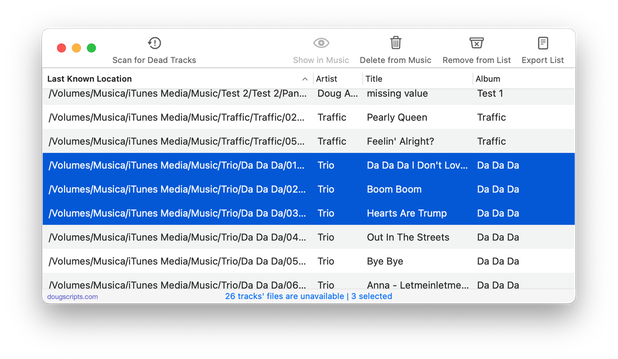
For macOS 10.15 Catalina and later only. This applet checks your Music or TV library for missing and presumed dead tracks–those tracks that have become disassociated from their file and which are listed with a “!”–and can delete them from the app or create a text file listing these tracks by last known File Path, Song Name, Artist and Album, which you can view using TextEdit.
Also see Super Remove Dead Tracks and Media Folder Files Not Added.
Free to use in Demo Mode: While in Demo Mode, dead tracks will be displayed and can be exported as a list to a text file. Delete from Music/TV and other features will be disabled.
To purchase a registration code and remove these restrictions, download and launch the app. Click “Register…” in its File menu and follow the prompts to purchase a code for $2.99. When your payment is processed, you will be emailed a registration code that will unlock the Demo Mode restrictions.
Latest version:
- Maintenance update
- Fixed regression whereby table wouldn’t resize correctly
More information for List MIAs v5.6 and download link is here.
UPDATED: Super Remove Dead Tracks v5.4
For macOS 10.15 Catalina or later. Scans the Music or TV app for tracks whose files are inaccessible or no longer available (so-called “dead” tracks). Outputs a tab-delimited text log listing the tracks by Artist, Name, Album and last known file location. The registered version will delete the tracks.
Also see List MIAs and Music Folder Files Not Added.
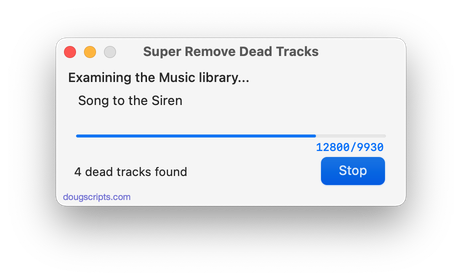
Latest version:
- Maintenance update
More information for Super Remove Dead Tracks v5.4 and download link is here.
UPDATED: Copy Tracks to Multiple Playlists v5.1
For macOS 10.15 Catalina and later only. This script will copy the selected tracks to one or more chosen playlists.
Also see Remove From Other Playlists.
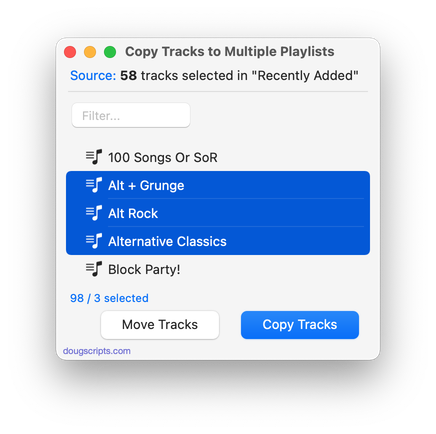
Latest version:
- Tidied-up some UI features
- Fixed rare issue where some playlists were not detected
More information for Copy Tracks to Multiple Playlists v5.1 and download link is here.
NEW: Whack Current Track v3.0
For macOS 10.15 Catalina and later. Deletes the currently playing track completely from the Music app and moves its file to the Trash. Works for tracks with local files only. Use carefully.
It is not possible to remove cloud tracks with this script.
Latest version:
- Accommodations for macOS 10.15 Catalina
- Performance and security enhancements
More information for Whack Current Track v3.0 and download link is here.
UPDATED: Quick Convert v5.2
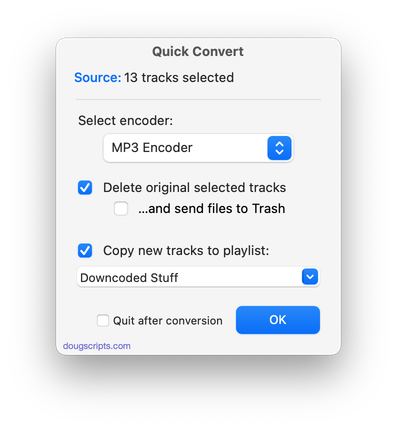
For macOS 10.15 Catalina and later. Convert all or just the selected tracks of the selected Playlist using your choice of available encoders, restoring your Preferences-set encoder afterwards.
Additionally, you can:
- Choose to delete and/or Trash the original tracks and/or files
- Copy all converted tracks to a playlist
Latest version:
- Adds “Quit after conversion” option
- Logistics and performance enhancements
More information for Quick Convert v5.2 and download link is here.
UPDATED: Super Remove Dead Tracks v5.3
For macOS 10.15 Catalina or later. Scans the Music or TV app for tracks whose files are inaccessible or no longer available (so-called “dead” tracks). Outputs a tab-delimited text log listing the tracks by Artist, Name, Album and last known file location. The registered version will delete the tracks.
Also see List MIAs and Music Folder Files Not Added.
Latest version:
- Drops 10-day trial; tracks are deleted using registered versions only
- Minor logistic changes
More information for Super Remove Dead Tracks v5.3 and download link is here.
UPDATED: List MIAs v5.5
For macOS 10.15 Catalina and later only. This applet checks your Music or TV library for missing and presumed dead tracks–those tracks that have become disassociated from their file and which are listed with a “!”–and can delete them from the app or create a text file listing these tracks by last known File Path, Song Name, Artist and Album, which you can view using TextEdit.
Also see Super Remove Dead Tracks and Media Folder Files Not Added.
Free to use in Demo Mode: While in Demo Mode, dead tracks will be displayed and can be exported as a list to a text file. Delete from Music/TV and other features will be disabled.
To purchase a registration code and remove these restrictions, download and launch the app. Click “Register…” in its File menu and follow the prompts to purchase a code for $2.99. When your payment is processed, you will be emailed a registration code that will unlock the Demo Mode restrictions.
Latest version:
- Minor adjustments to better accommodate the Music and TV apps
- Performance enhancements
- v5.4 (November, 2019):
- Adds support for the TV app – install in TV’s Scripts folder
More information for List MIAs v5.5 and download link is here.
